JJ
Justin Jones
Salesforce Certified Professional
Empowering Businesses With Innovative
Solutions Crafted For Success

JJ

As a Salesforce Administrator with 6 years of experience in the mortgage industry, my focus centers on leveraging Salesforce to drive operational efficiency and business success. Proficient in Salesforce Flow, process automation, and custom app development, excelling in streamlining workflows and optimizing processes to meet organizational goals.Moreover, the ability to understand business needs and promote clear communication enables smooth collaboration among teams, resulting in solutions that produce tangible outcomes.Beyond professional achievements, there is a genuine passion for personal growth as well as continuous learning. Whether overcoming obstacles or seizing new opportunities, every endeavor is approached with resiliency and an unwavering commitment to excellence, knowing that with God’s guidance, there is no challenge too great to overcome.A proud family man, cherishing moments with my wife and two daughters. Passionate about financial independence, reading, acquiring skills, and the outdoors.
Poised to bring a unique blend of expertise, determination, and innovation to your team, driving success and exceeding expectations at every turn.'Go over, go under, go around, or go through. But never give up.’
JJ
JJ





Salesforce Certified Administrator
Business Administration Specialist
Lightning Experience Reports & Dashboards Specialist
User Authentication Settings Superbadge Unit
Multi-Factor Authentication and Single Sign-On Settings Superbadge Unit
Experience

Data Management

Reports & Dashboards
Automation

UI Customization


JJ
JJ
Data Management
Fueling Business Growth
We Used Formula Fields and Validation Rules to Ensure Data Integrity.
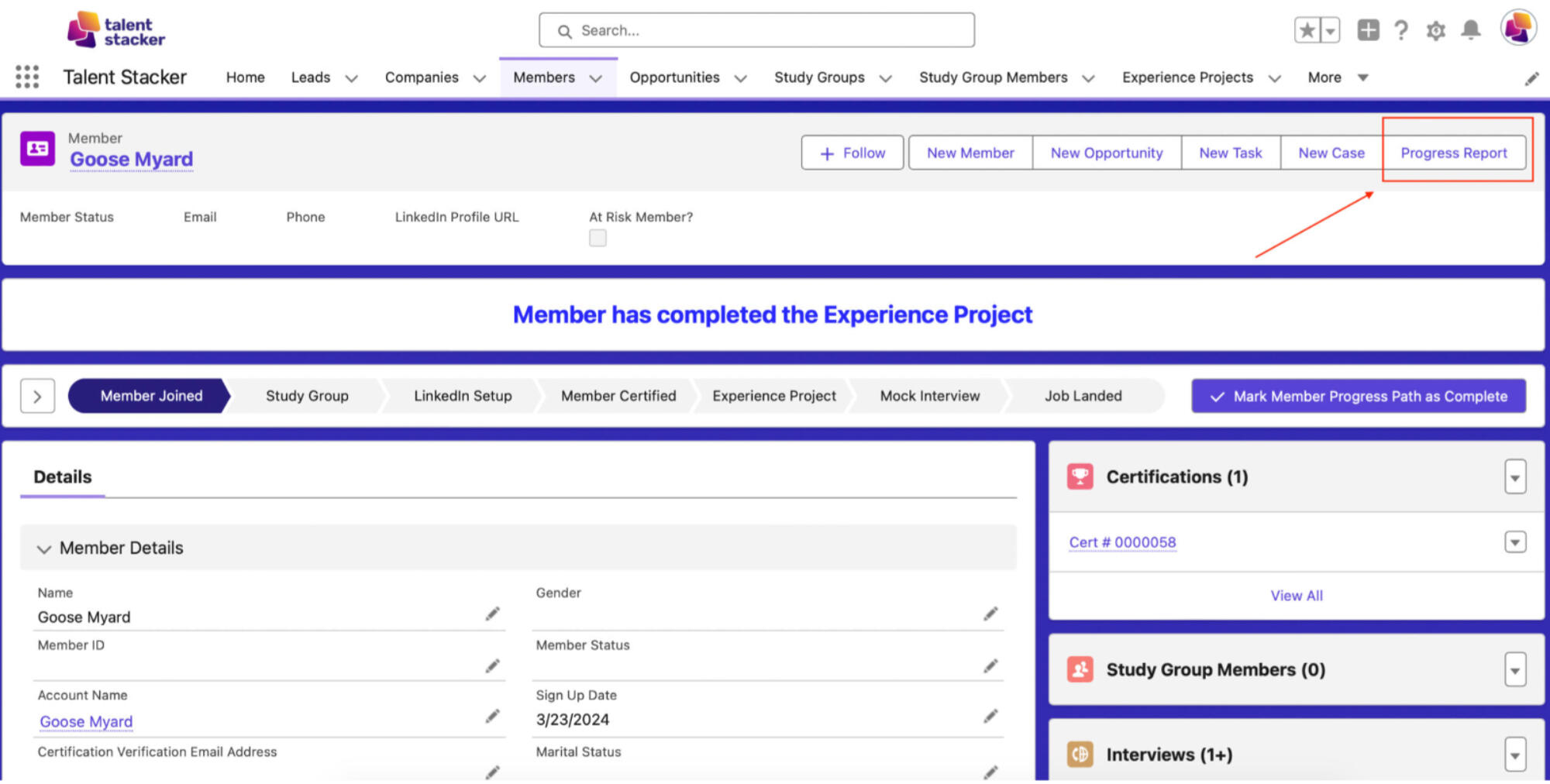
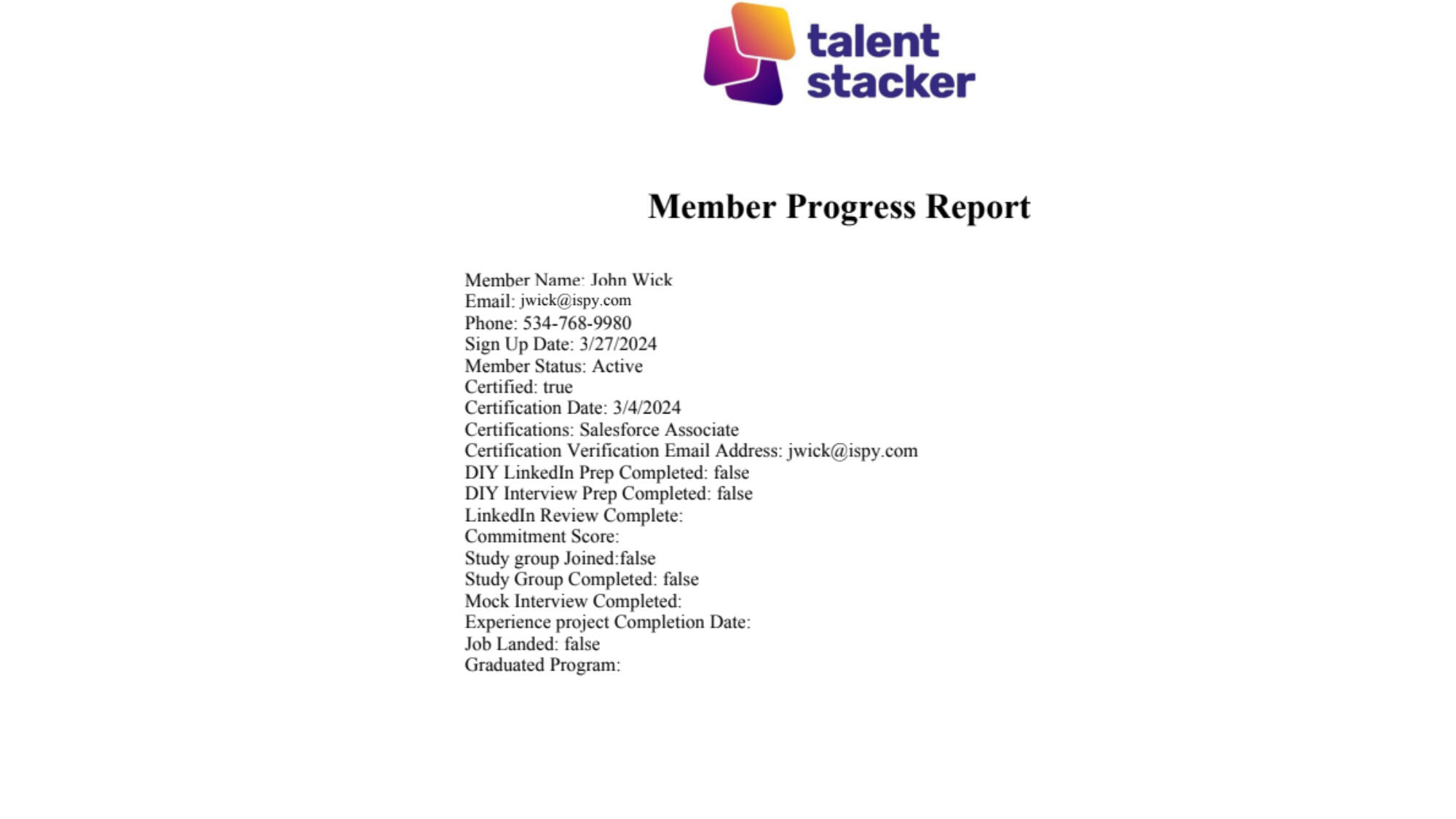
The Stakeholder Requested the Ability to Quickly Generate a “Progress Report” PDF Document That Outlines Key Milestones of the Program and the Individual Members' Progress in Each Area That Can Be Emailed Out to Either the Member or Potential Employer.
- Integrated the S-Docs App from the App Exchange, Created the Progress Report Template, Changed the Button Name to "Progress Report" & Added It to the Page for Easy Access.
The Member Has Not Met the Criteria in Order to Be Eligible for a Leadership Role.
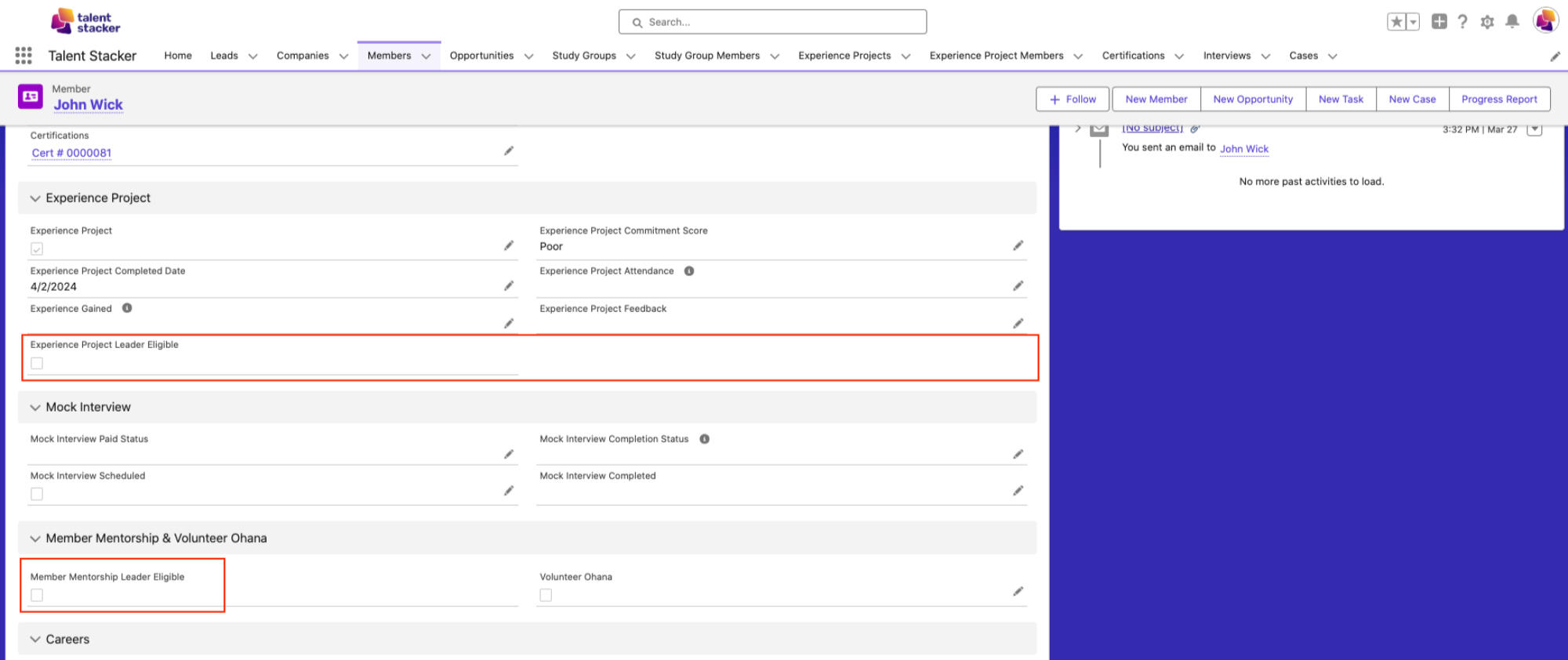
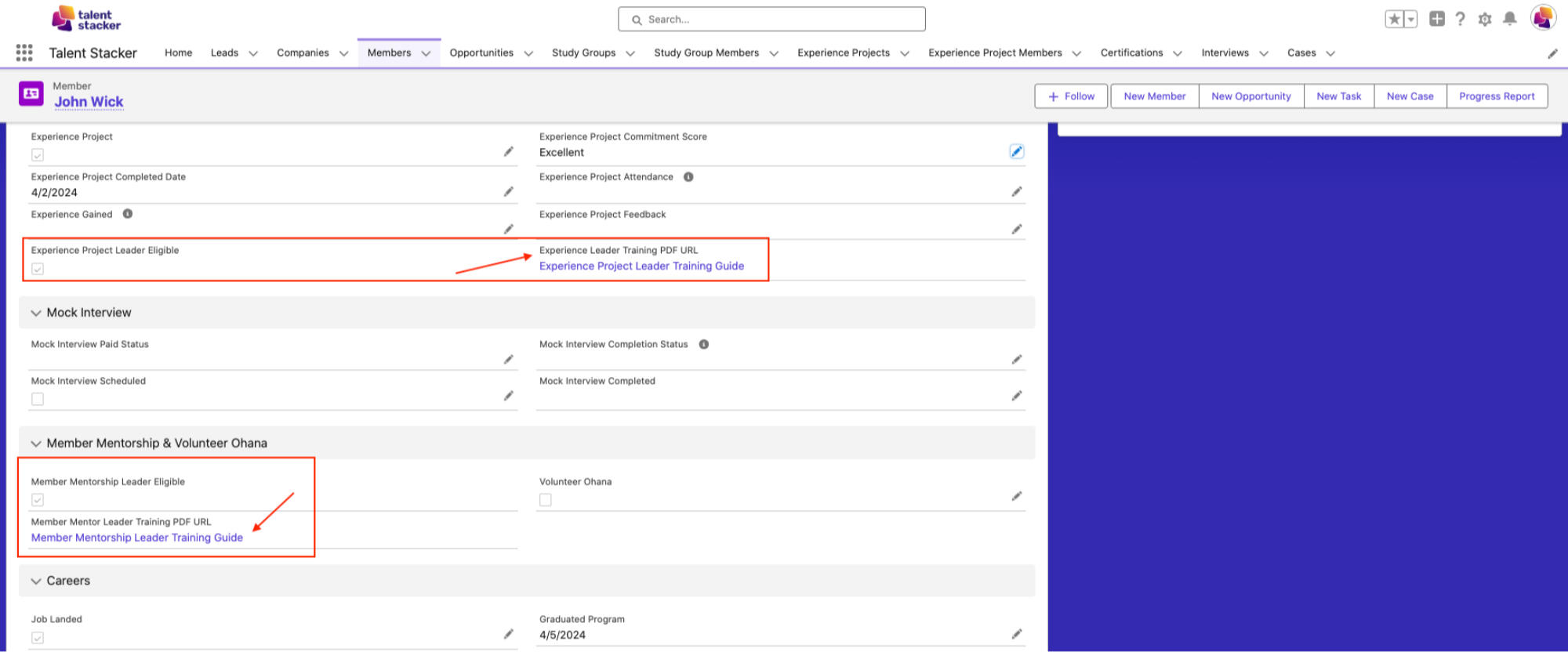
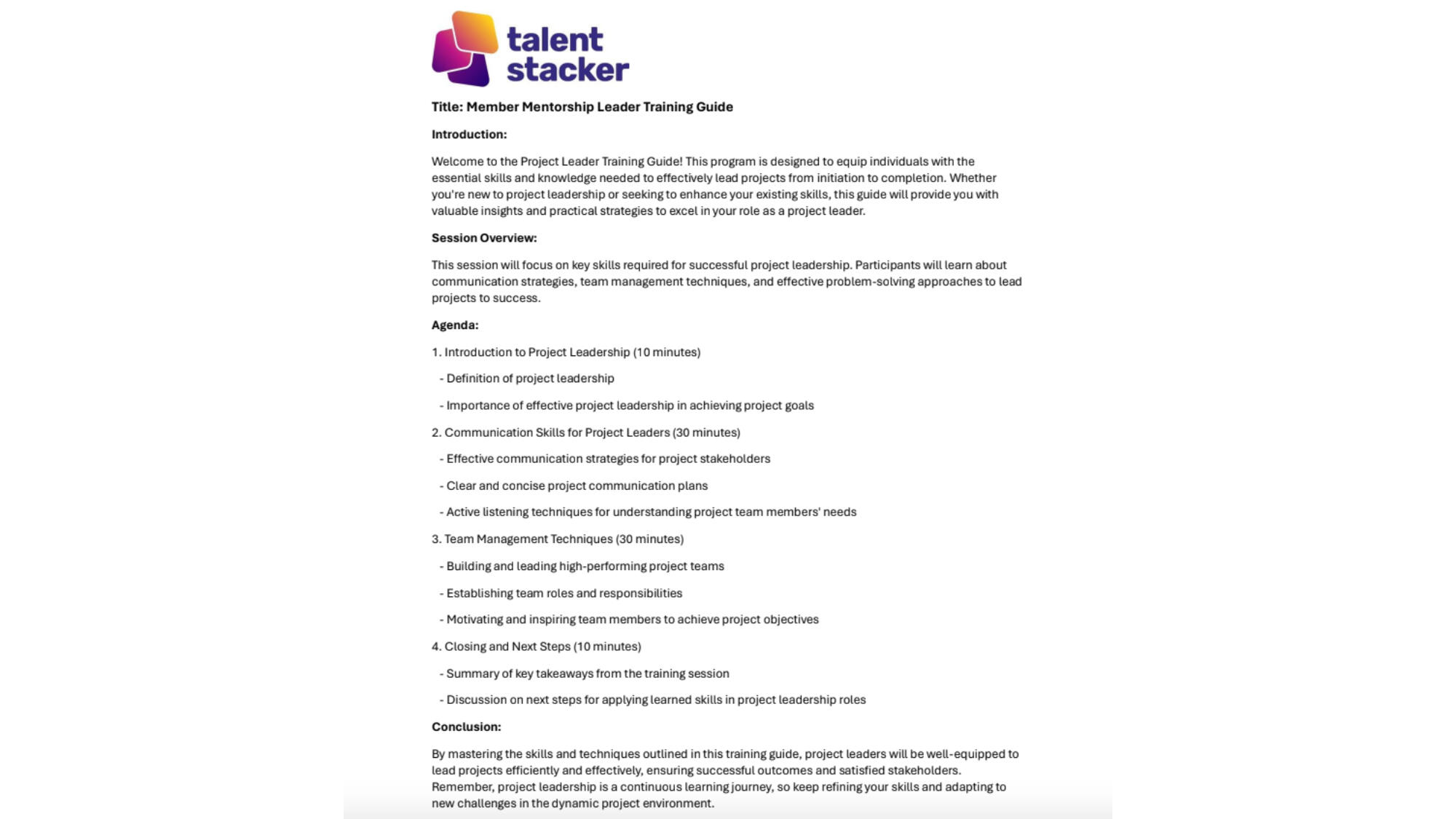
Once the Member Meets the Criteria for Eligibility in a Leadership Role, Formula Fields Automatically Populate to Reflect Their Eligible Status. Additionally, New Fields Become Visible, Containing PDF Guides for Their Respective Leadership Roles.
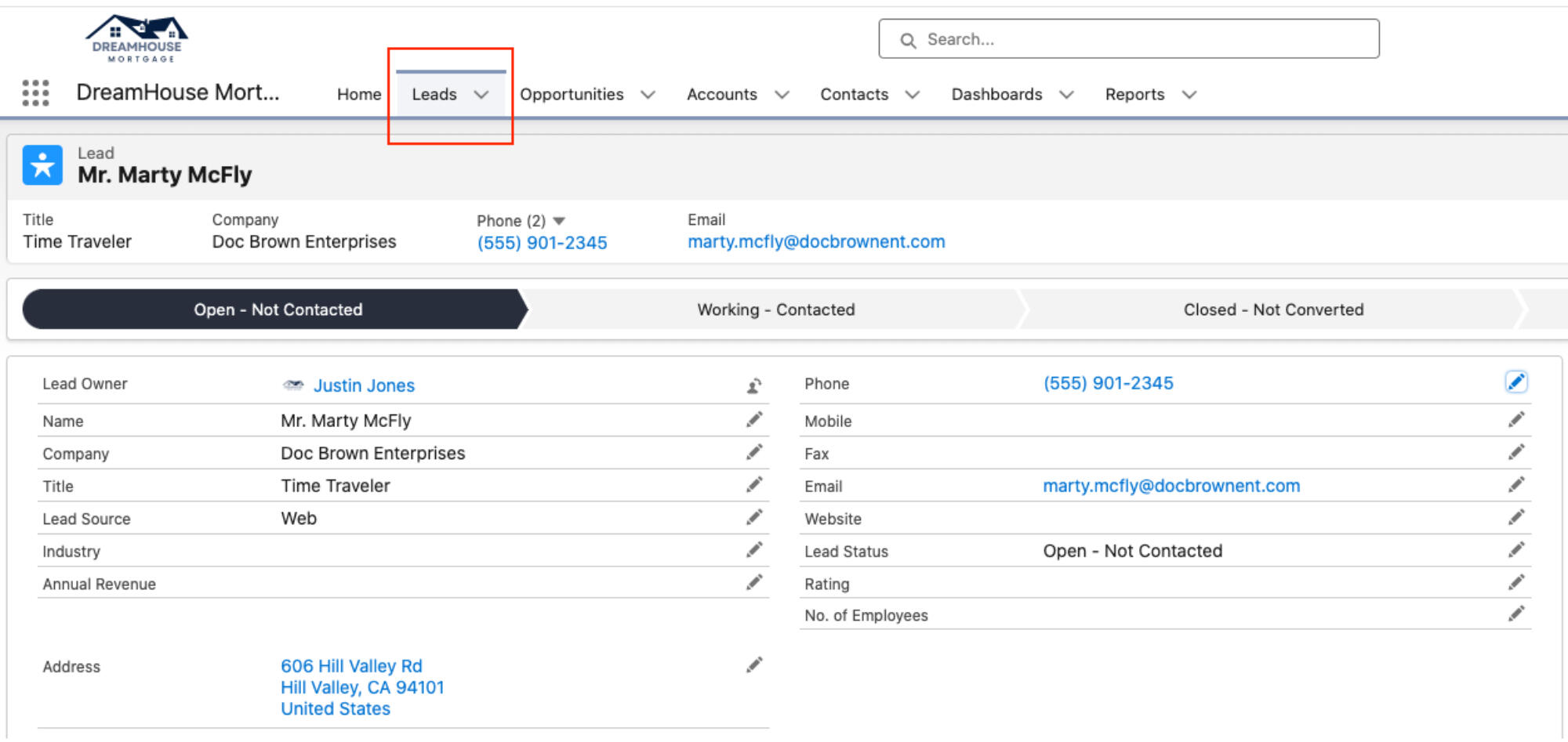
Generated a Web-to-Lead Form and Edited the CSS Using ChatGPT to Make the Page Aesthetically Pleasing.
Created a Landing Page Using Experience Cloud to Collect Leads First Name, Last Name & Email.
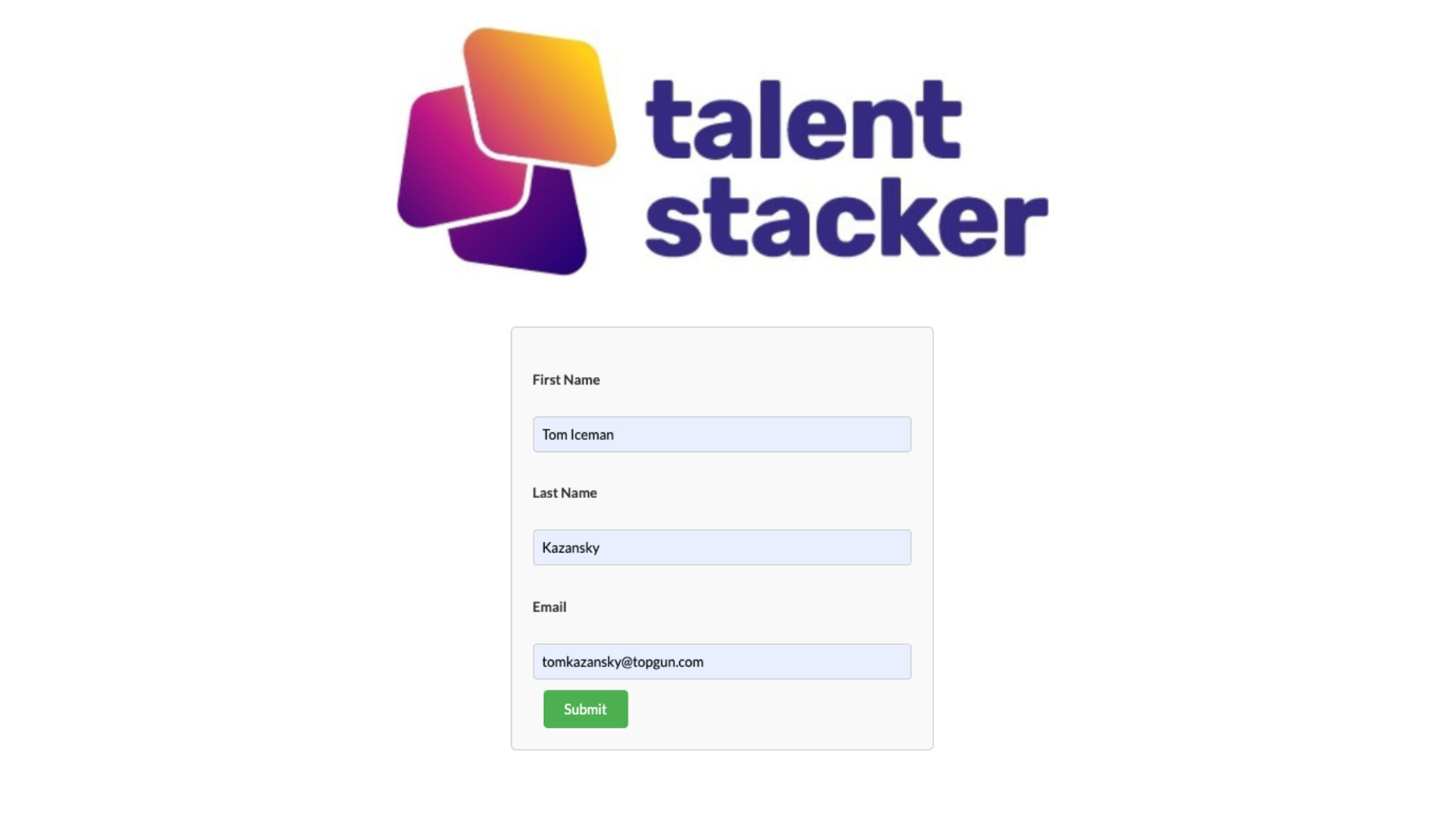
After the Lead Hits 'Submit,' our Lead Assignment Rule Routes the Lead to the New Lead Queue.

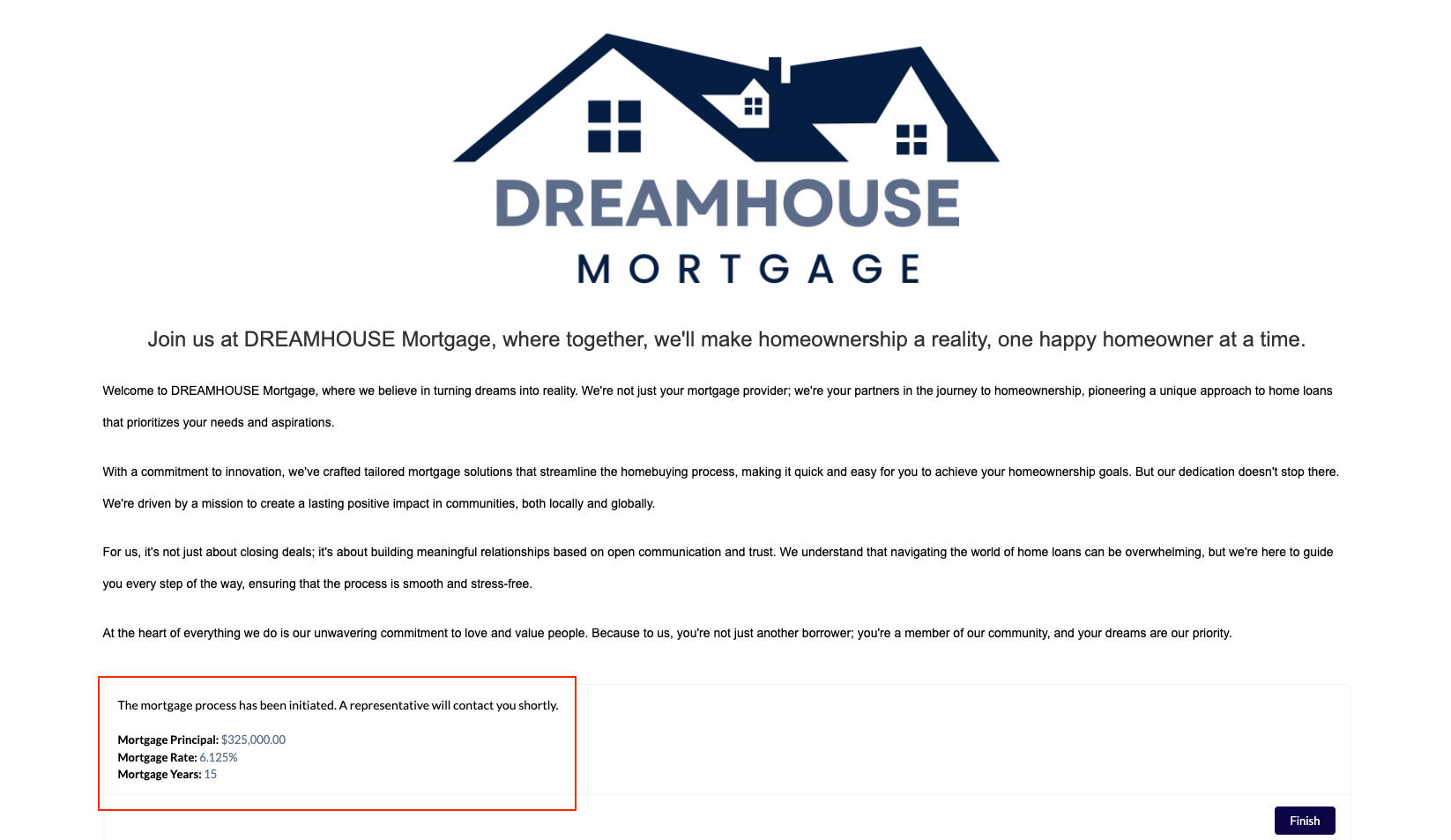
I've Created an Experience Cloud Site and Integrated a Mortgage Calculator Screen Flow from the AppExchange for Lead Generation.
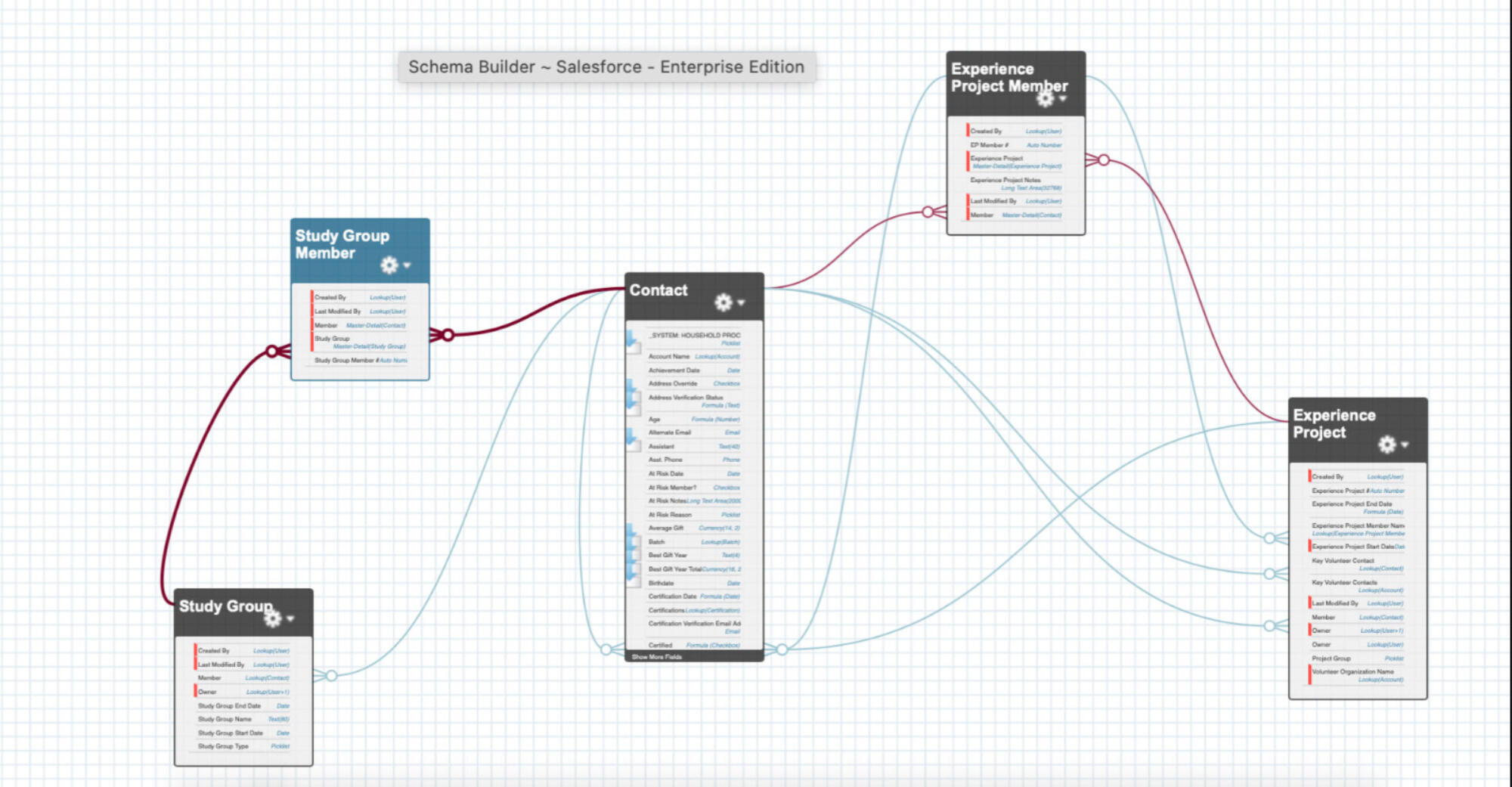
I've Created an Experience Cloud Site and Integrated a Mortgage Calculator Screen Flow from the AppExchange for Lead Generation.

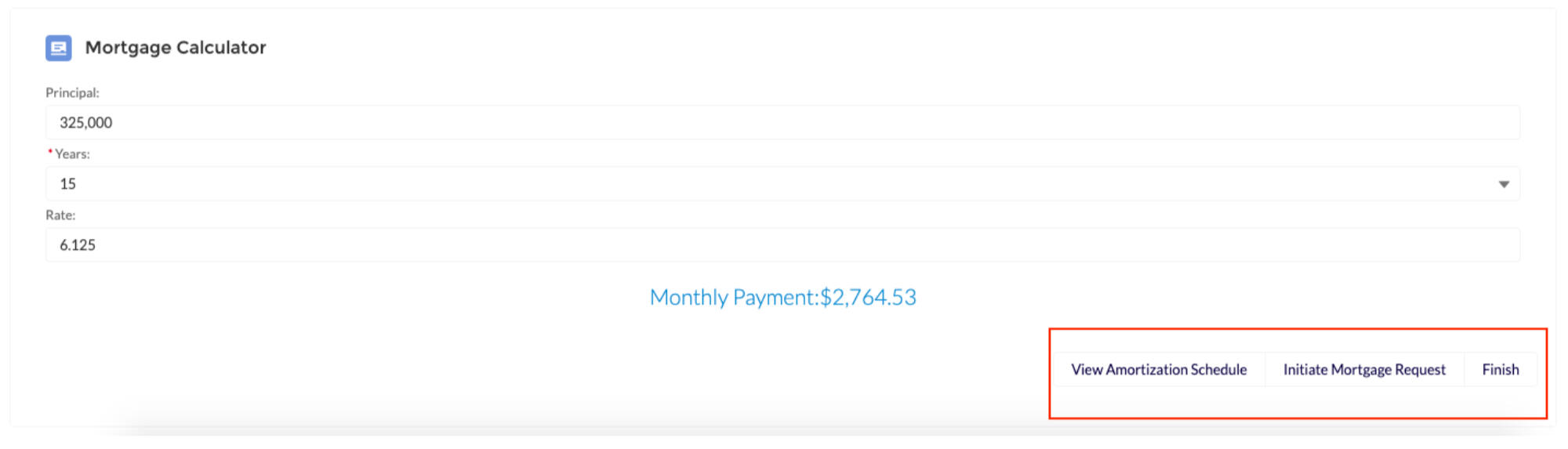
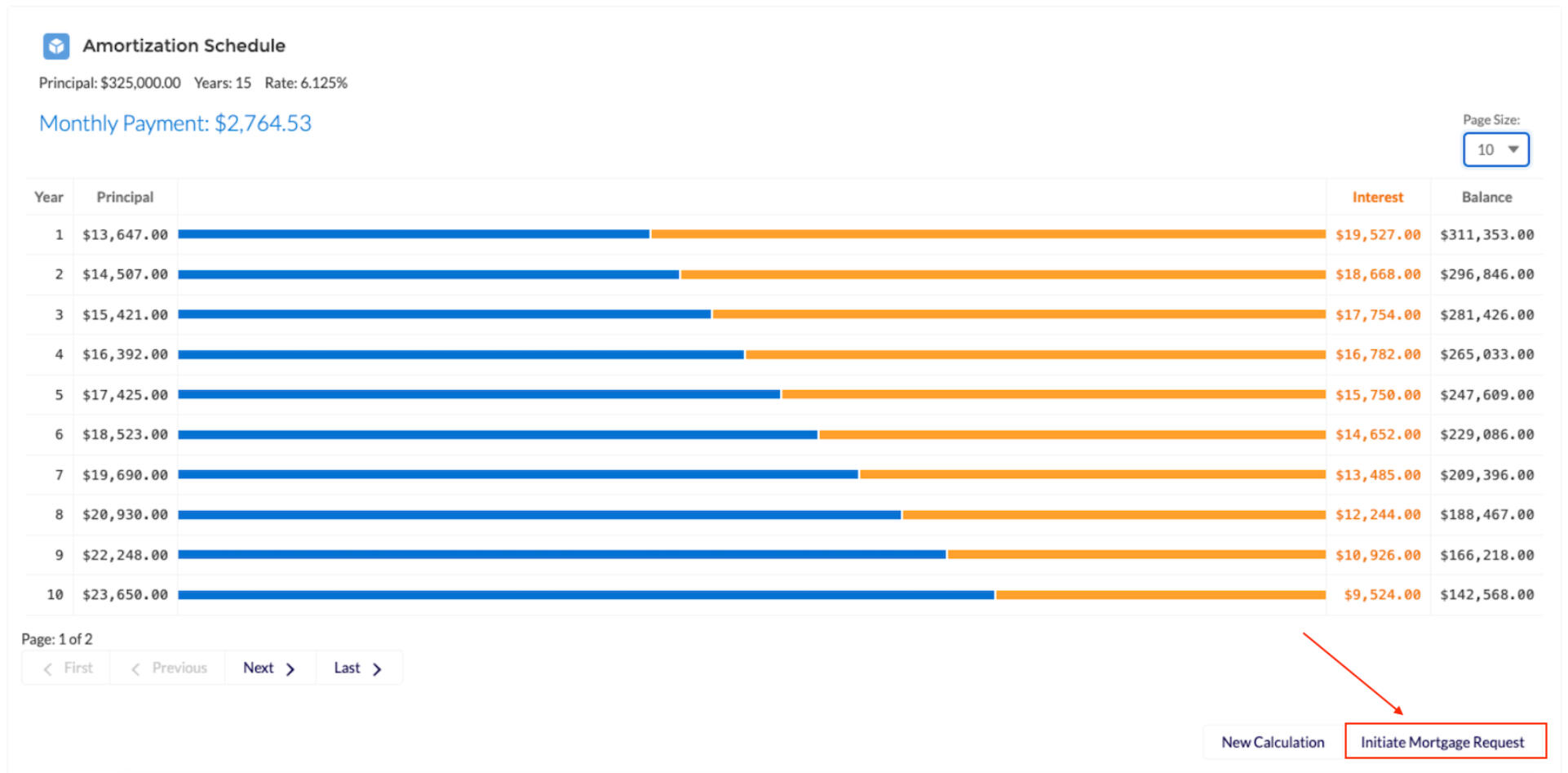
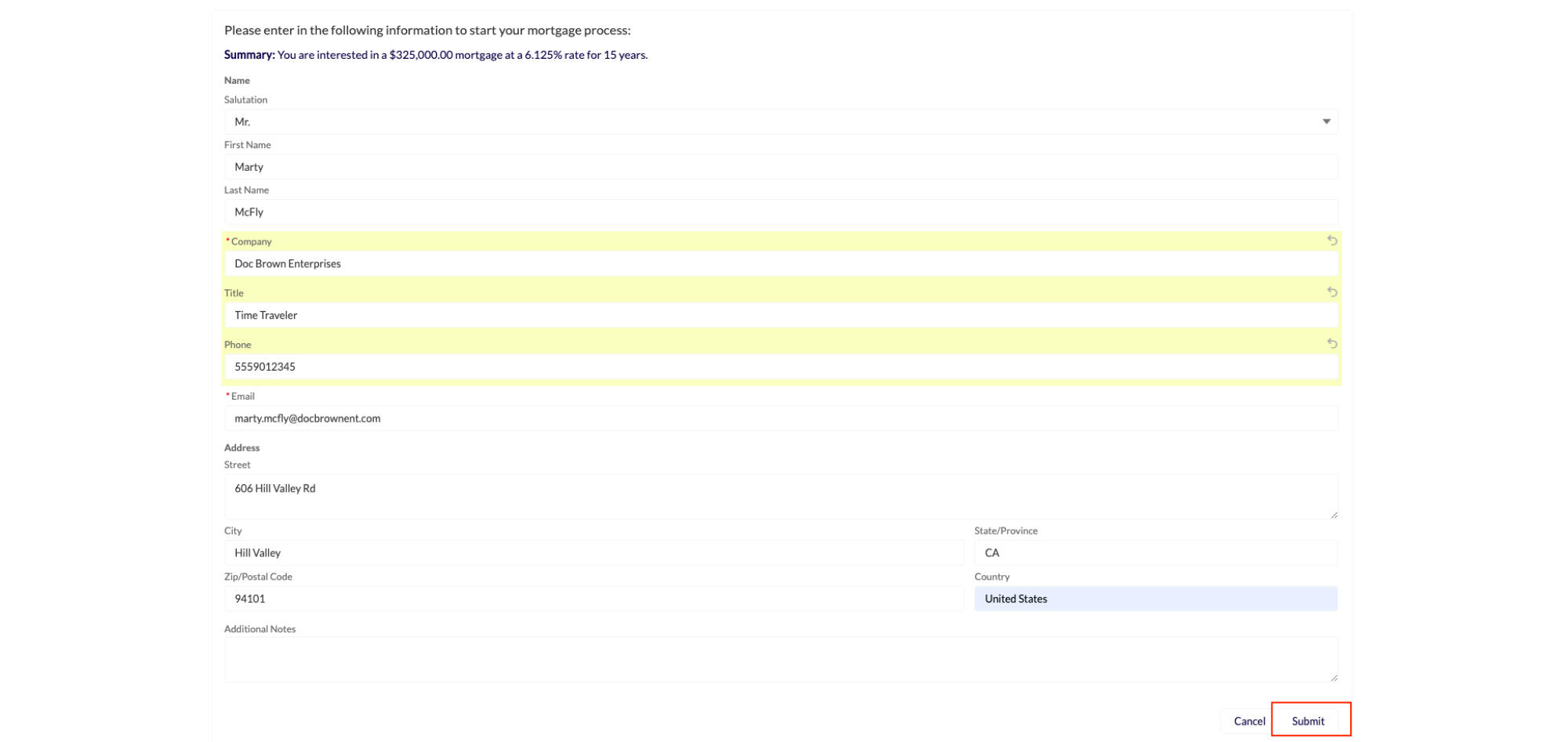
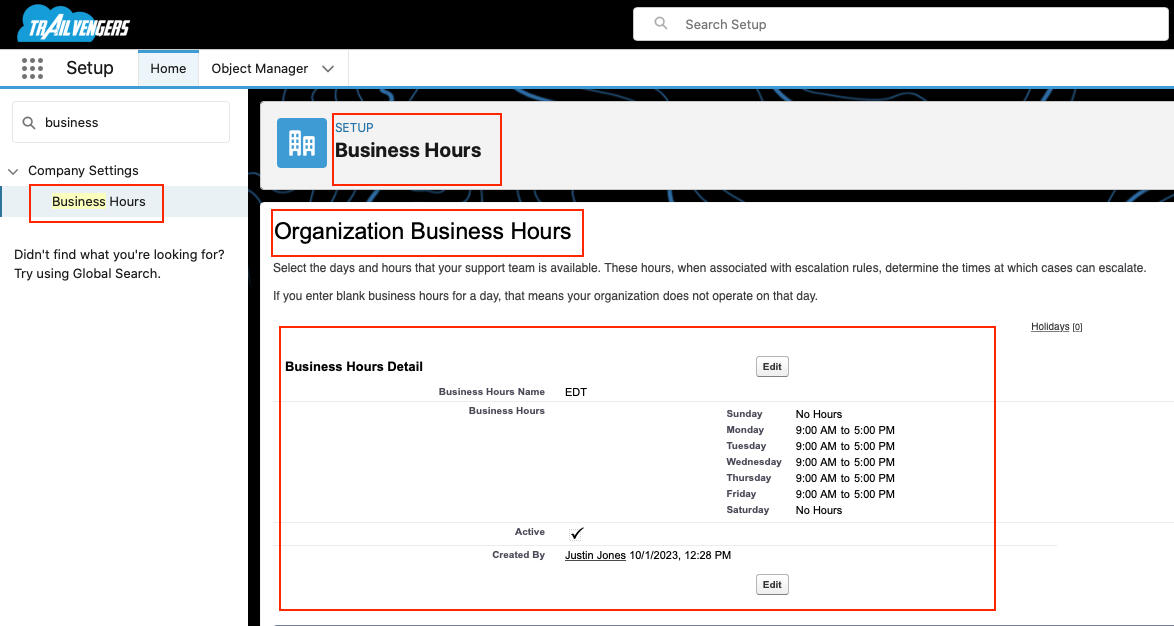
Define Business Hours
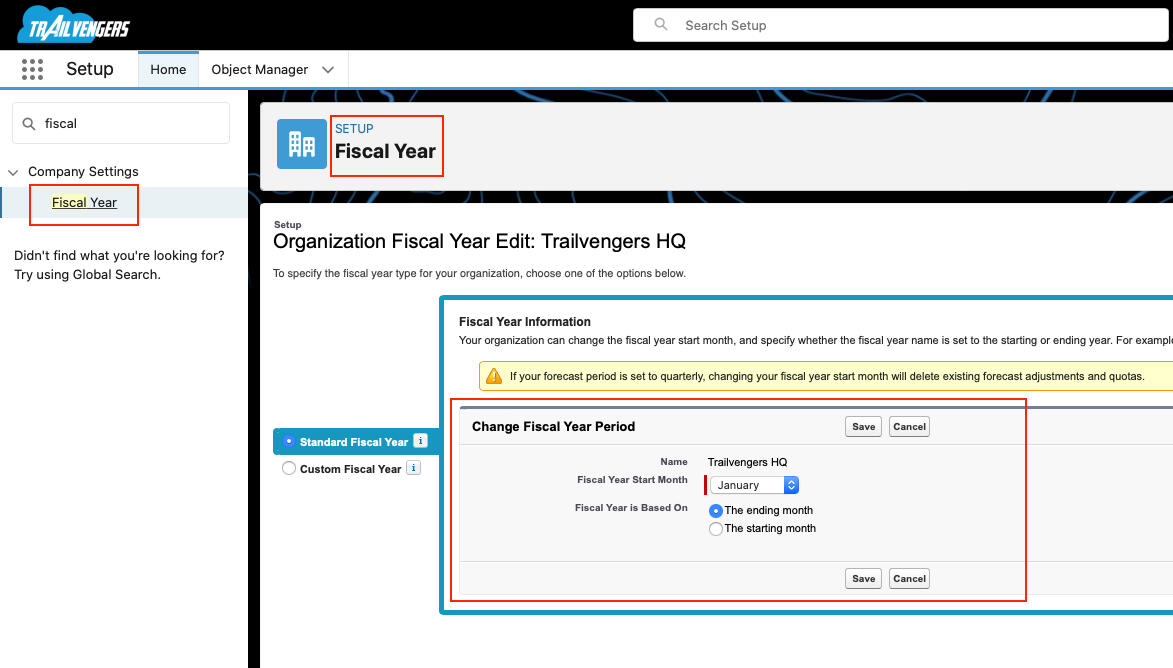
Define Fiscal Year
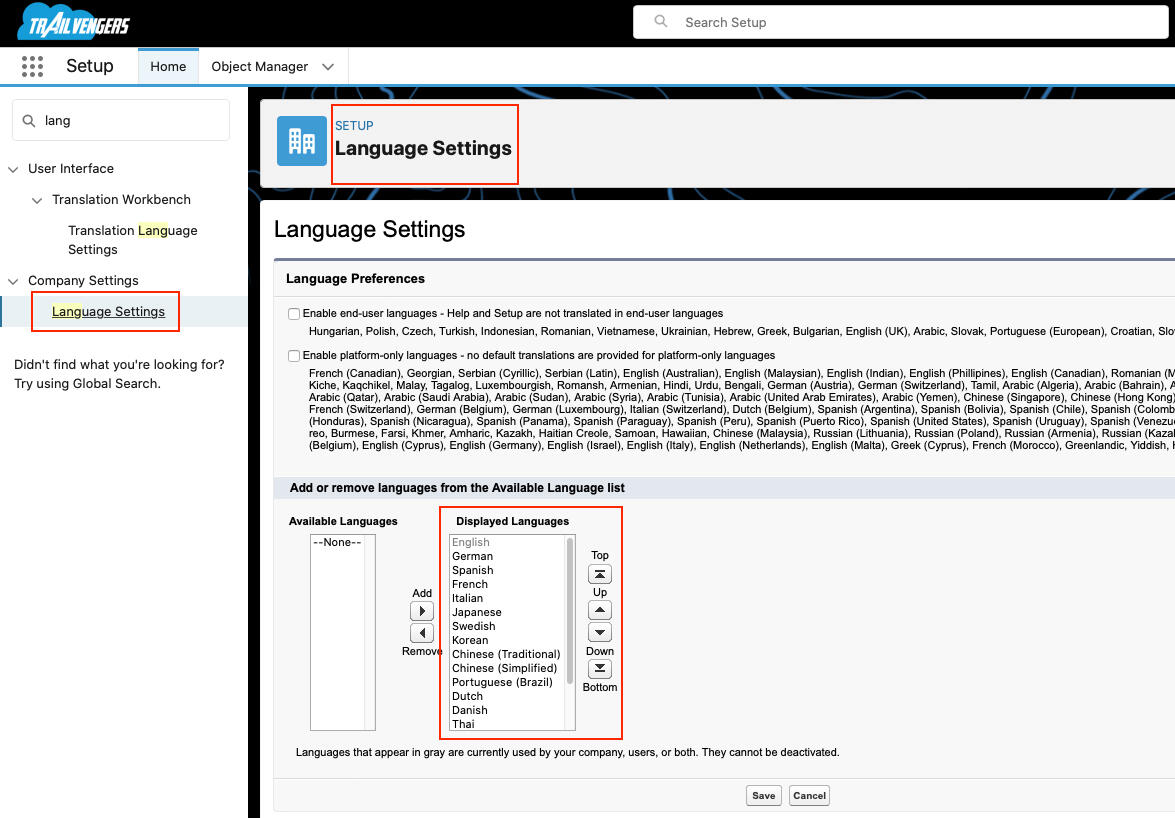
Define Language Settings
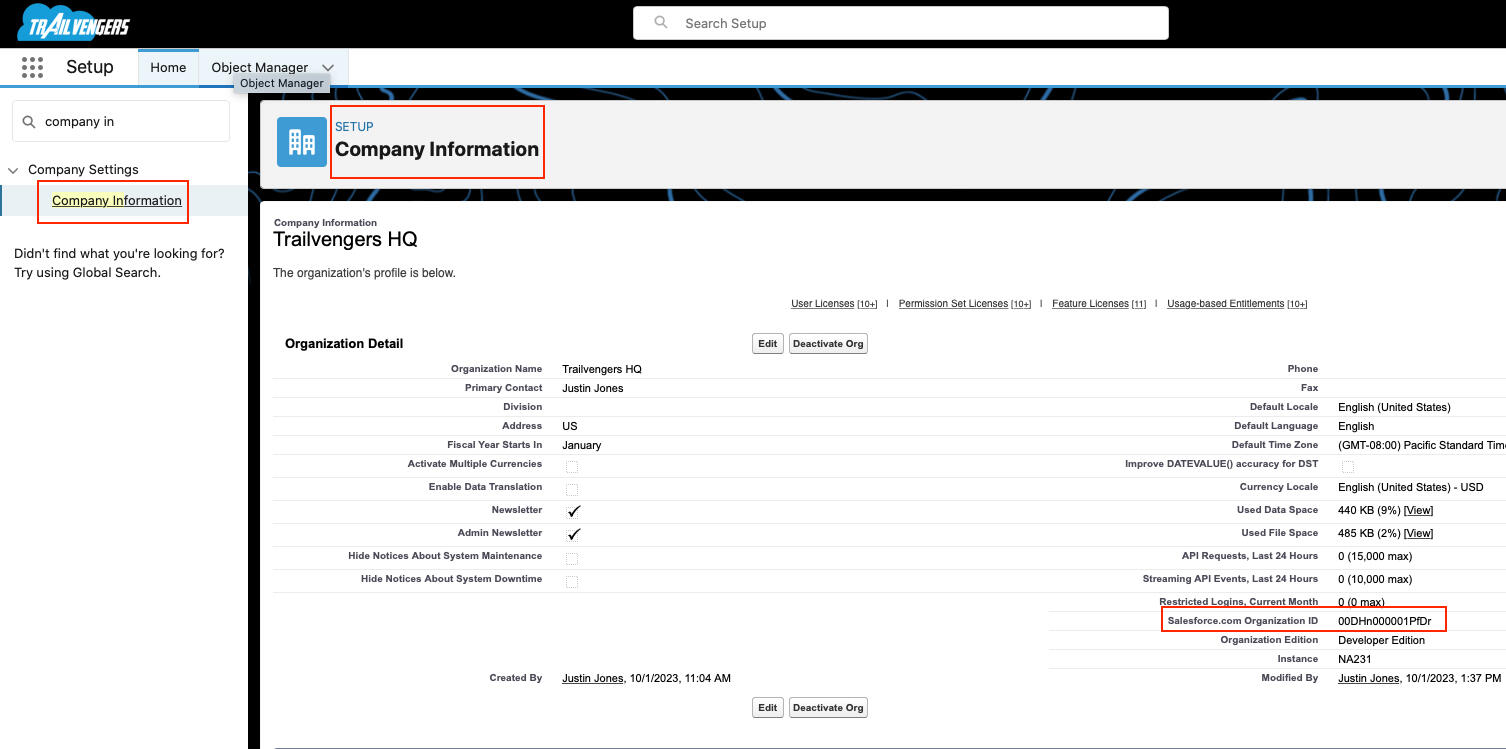
Find the Salesforce Org ID
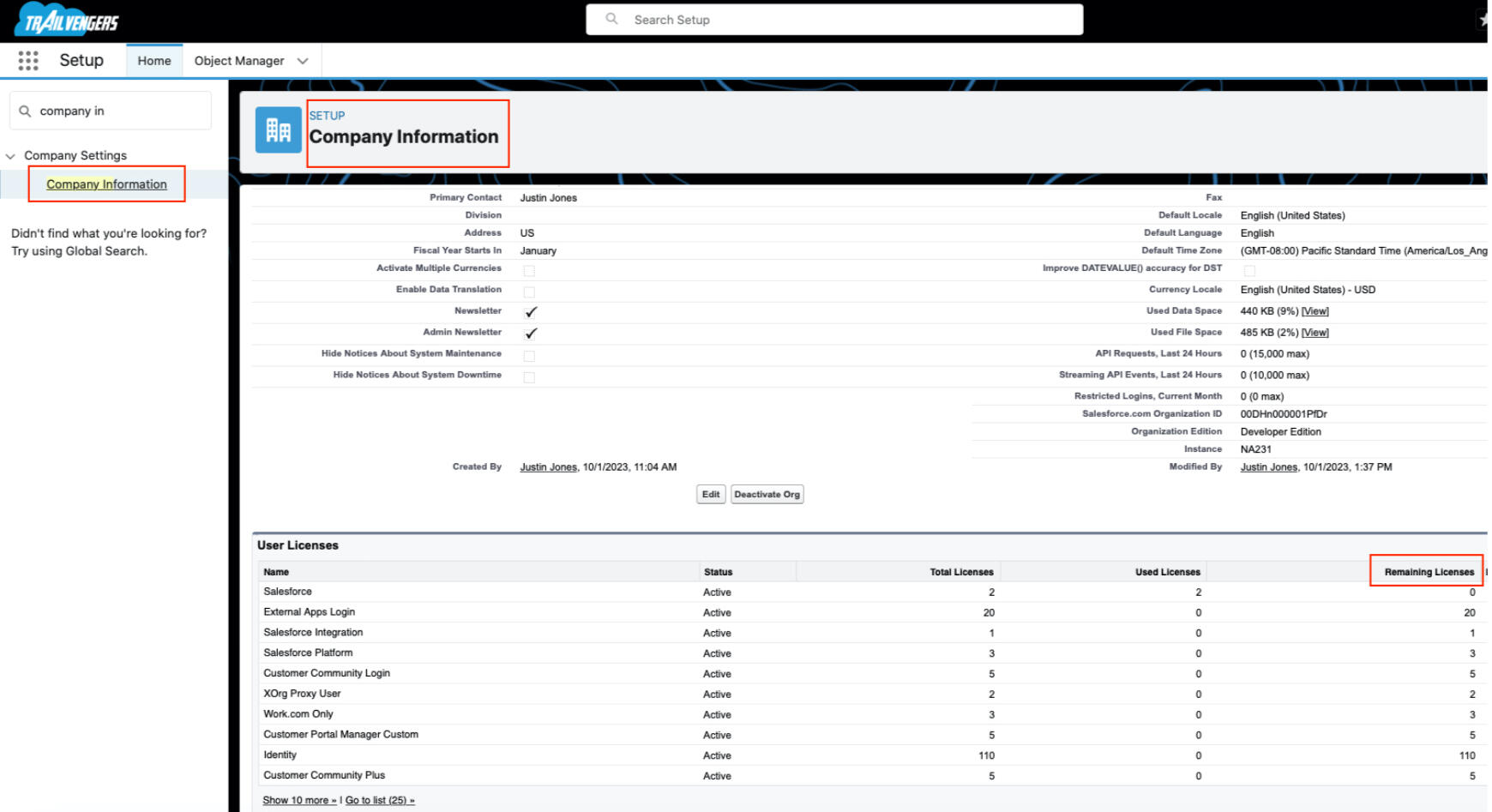
Verify Number of Salesforce licenses Available
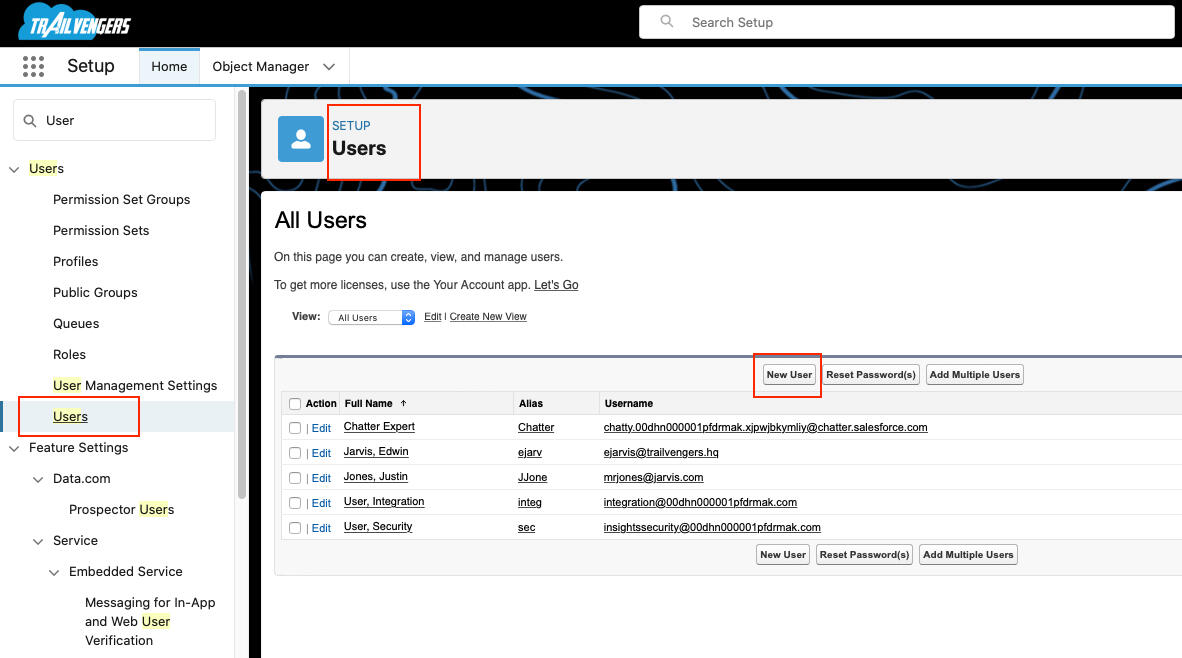
Create a New User and Assign a Salesforce License and Standard Profile
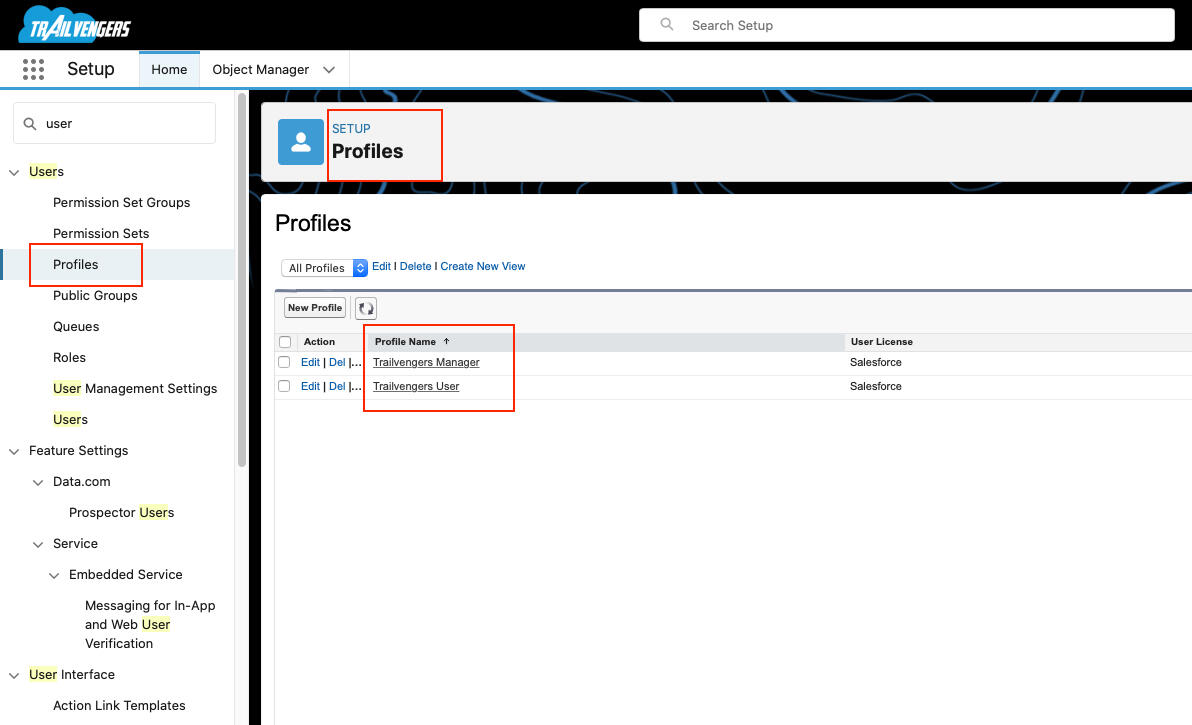
Create 2 Profiles: Trailvengers User (CRE Permissions) and Trailvengers Manager (CRED Permissions)
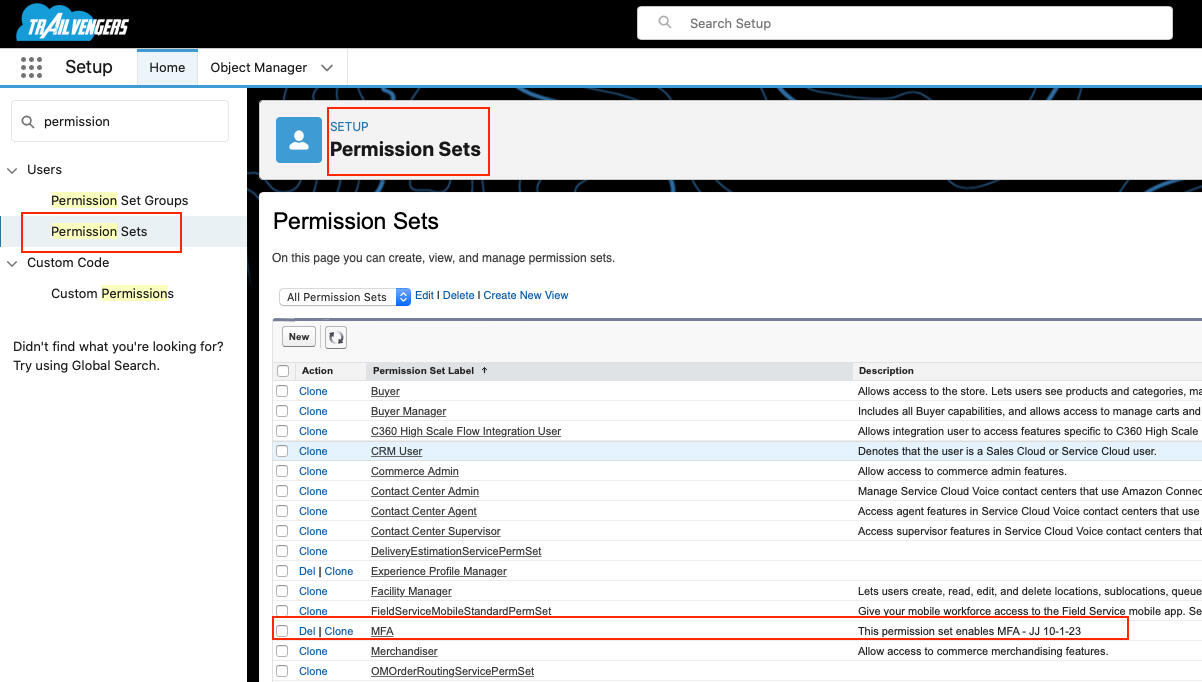
Create a Multifactor Authentication Permission Set and Assign to all Users except System Administrator
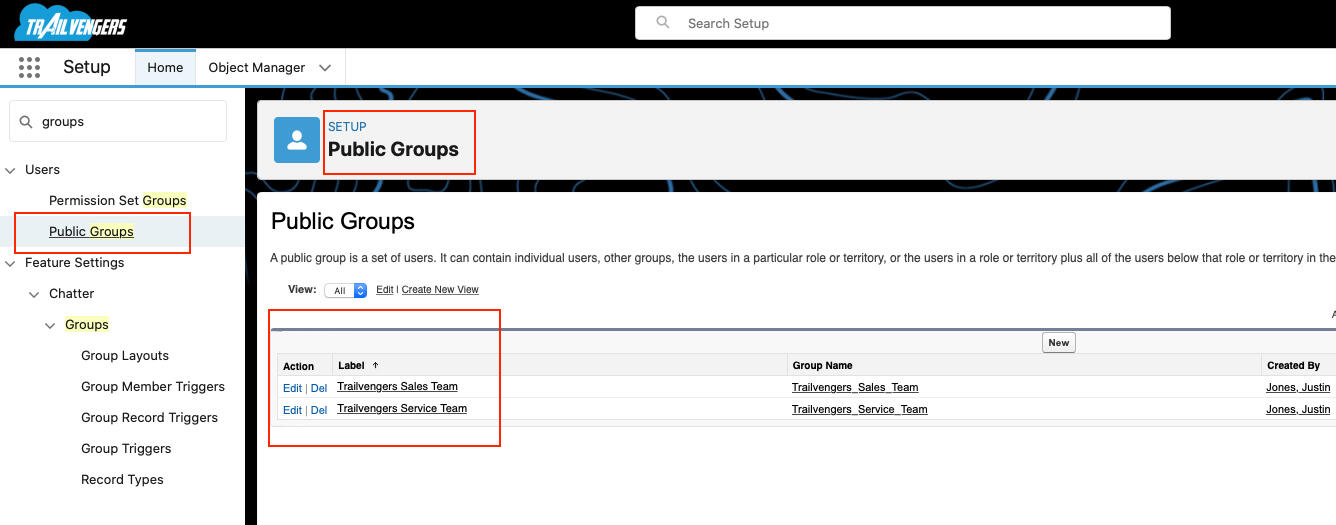
Create Public Groups: Trailvengers Sales Team and Trailvengers Service Team
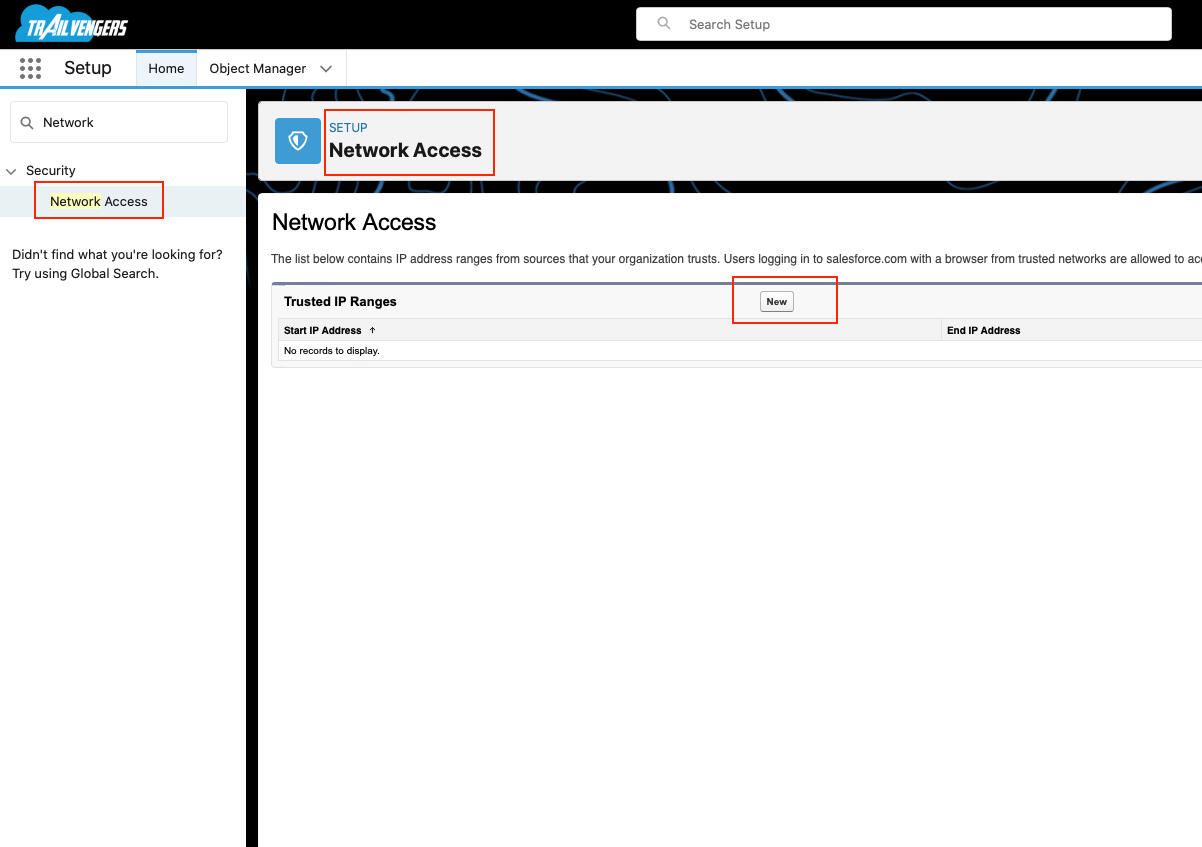
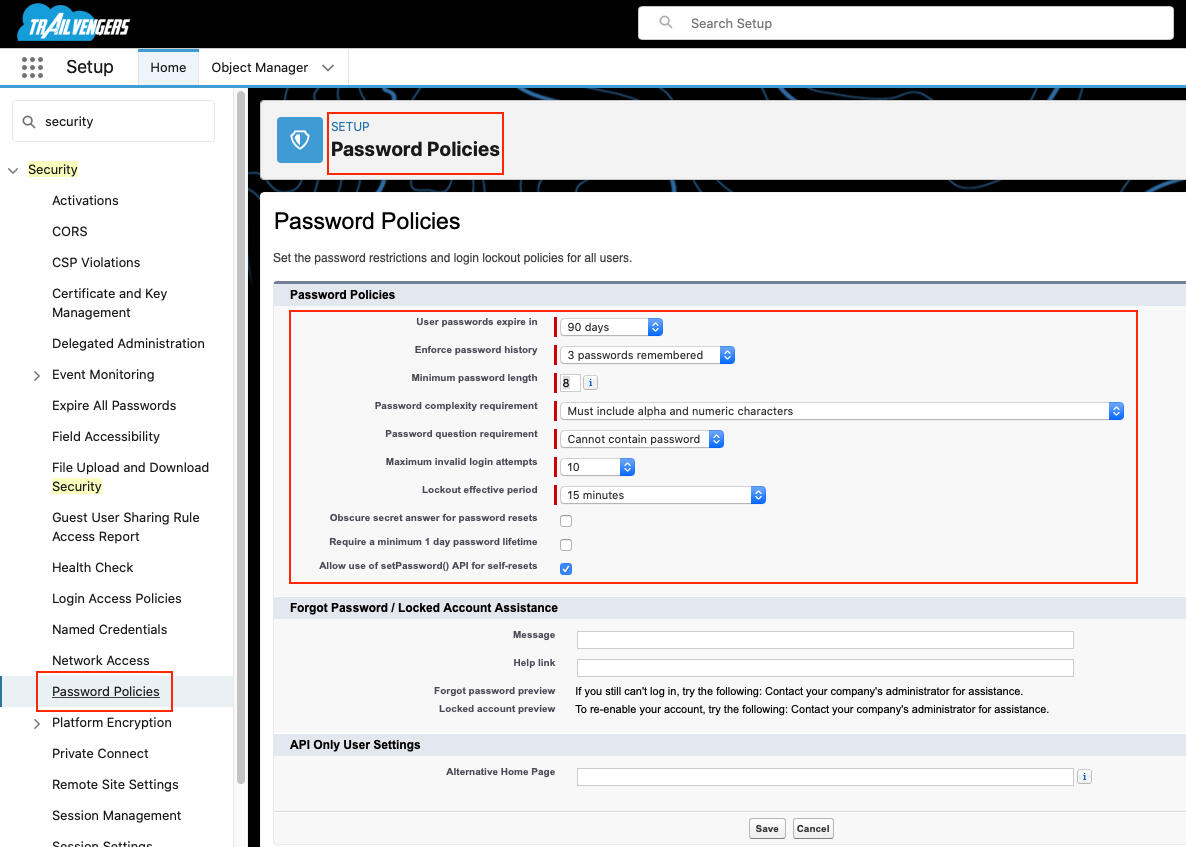
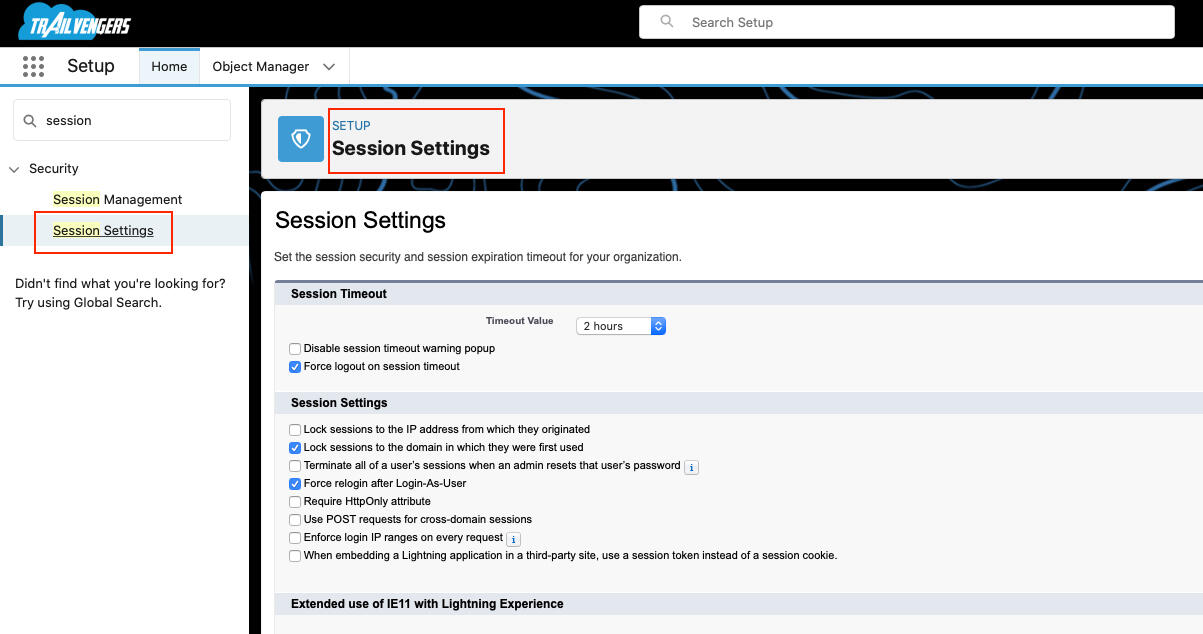
Adjust Network Access, Password Policies, and Session Settings
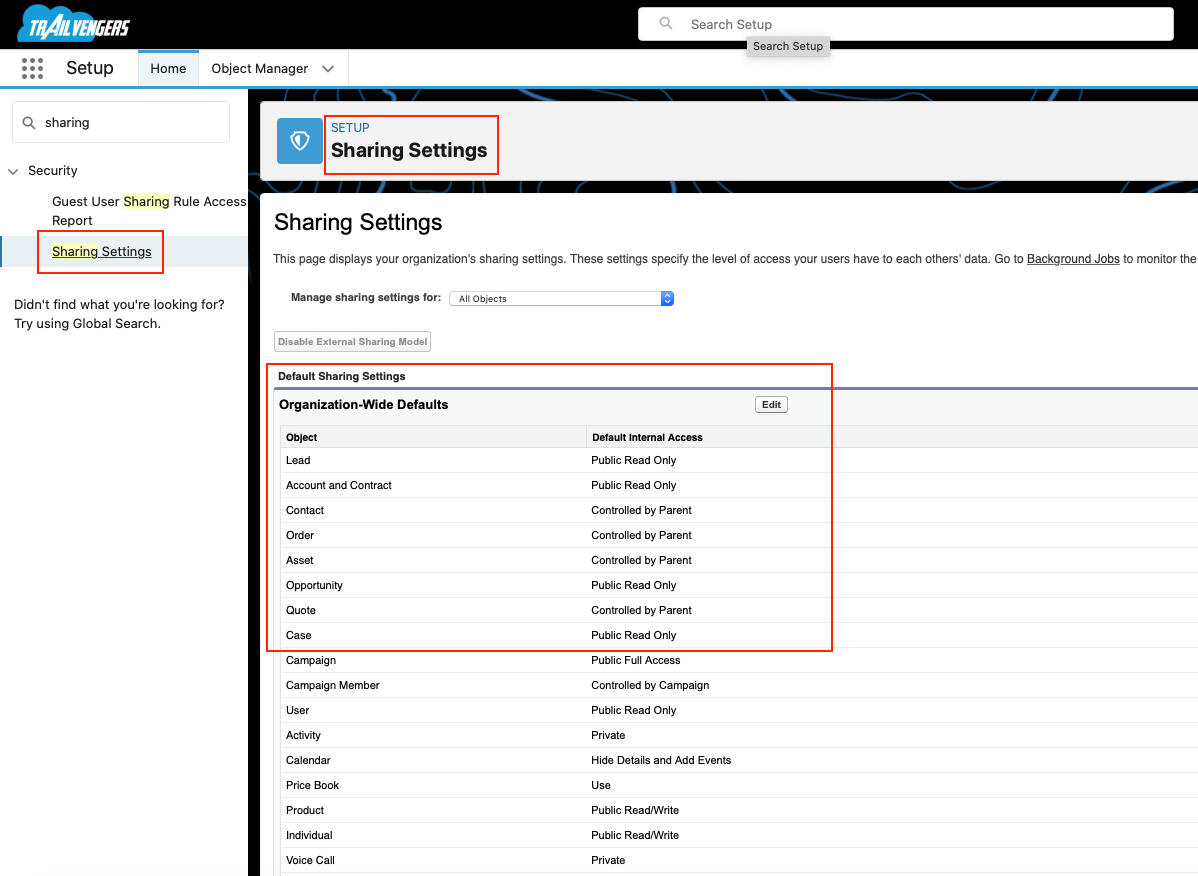
Org Wide Defaults Public Read Only (Lead, Account, Contact, Opportunity, Case)
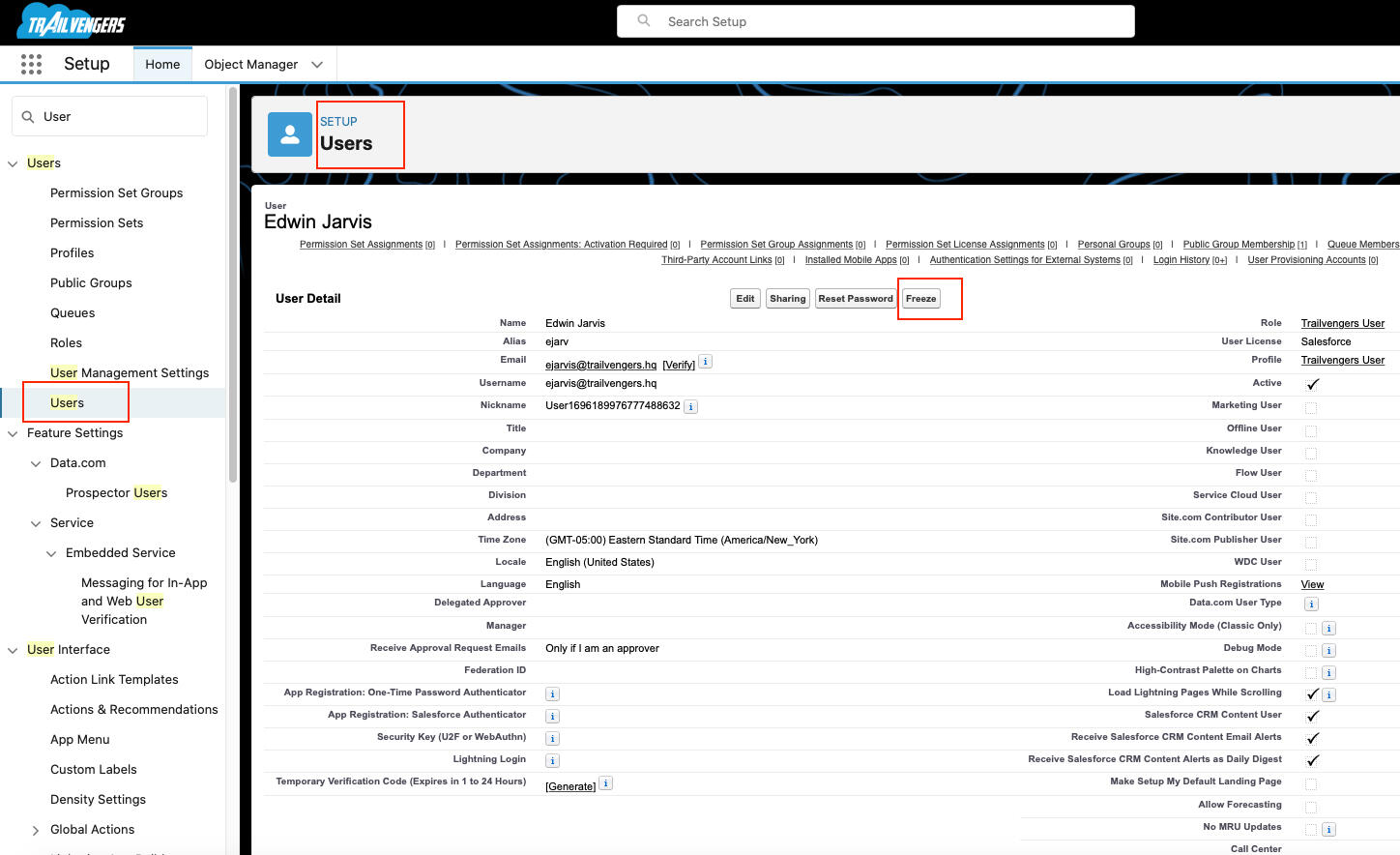
Freeze and Unfreeze Created User
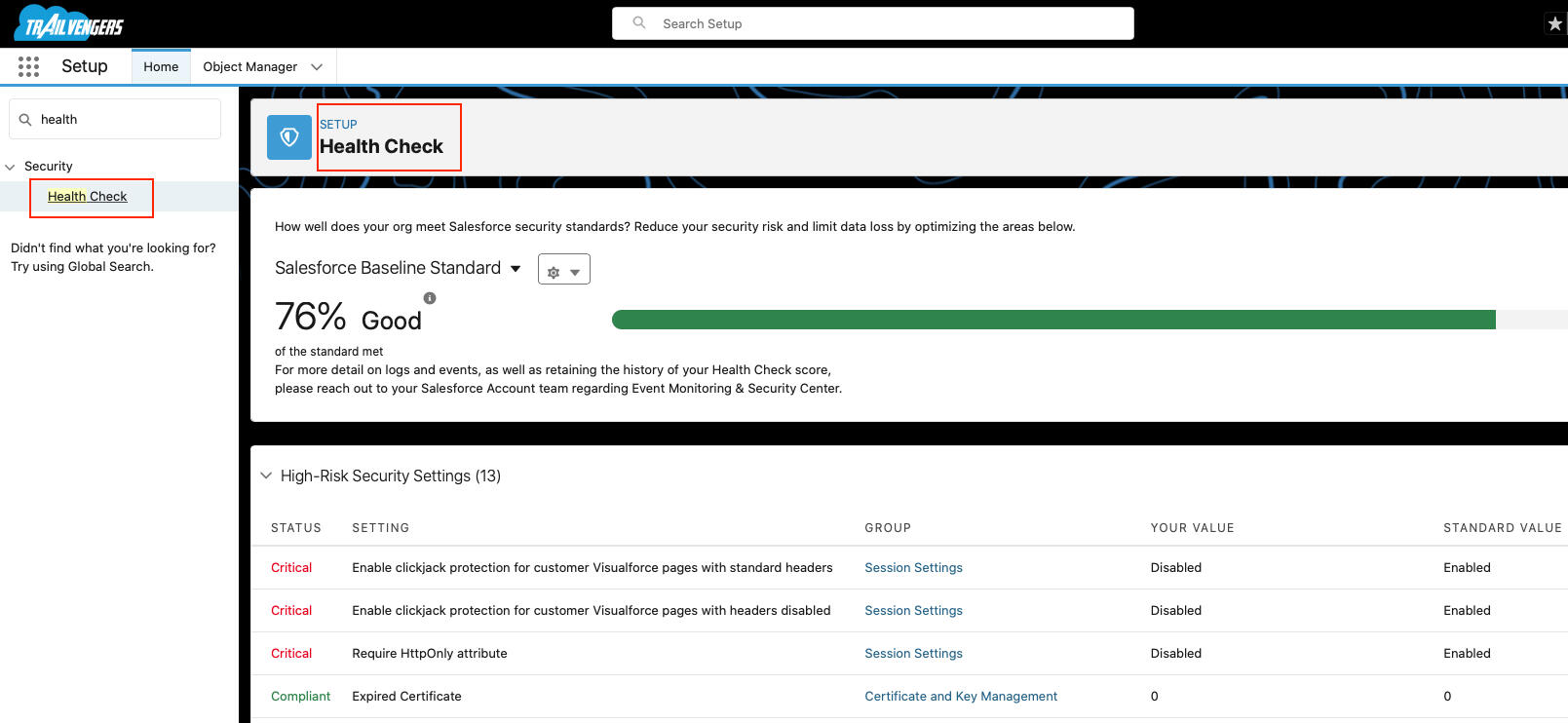
Ran Salesforce Health Check
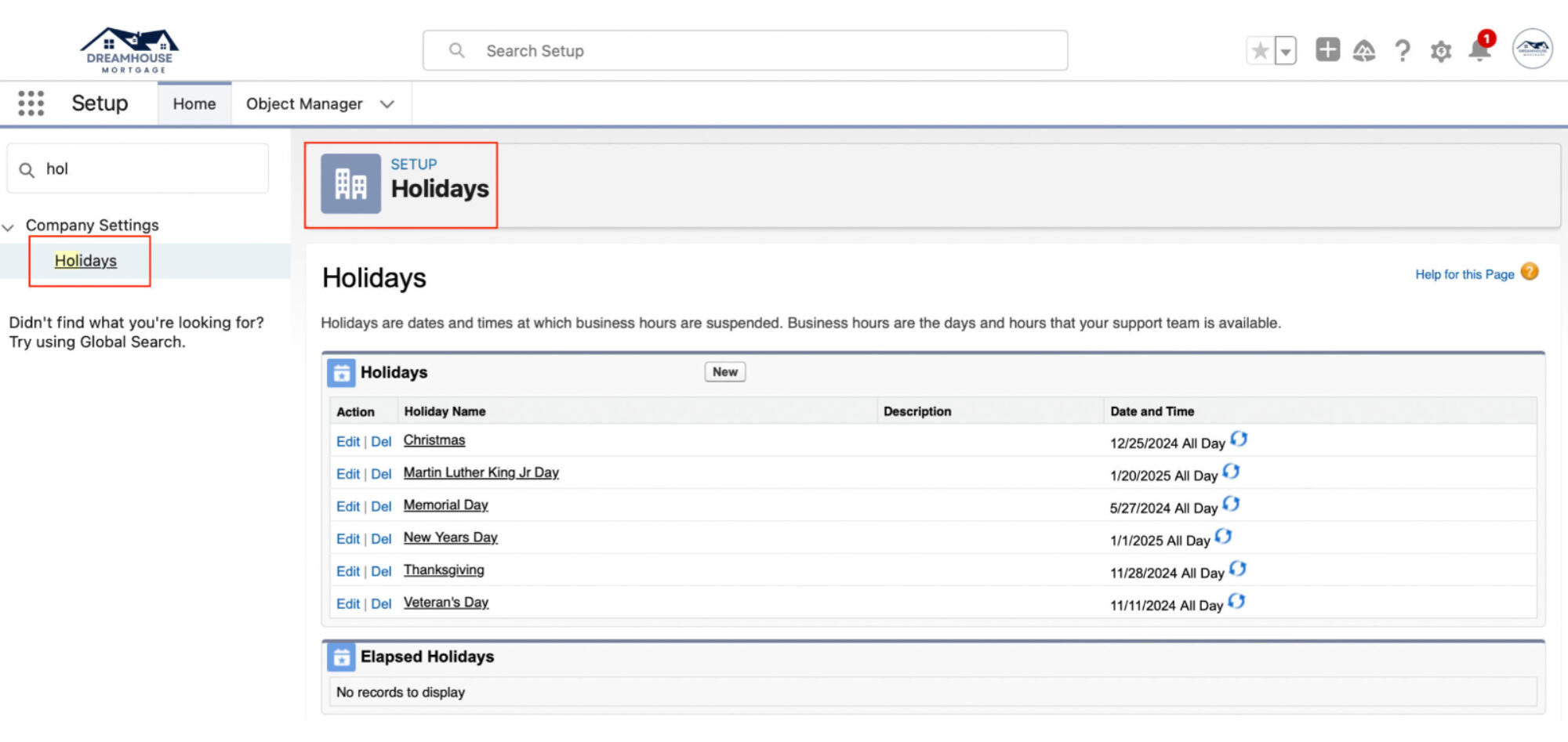
Defined Holidays
JJ
Reports & Dashboards
Harnessing Data, Driving Results: Unleashing Your Business Potential
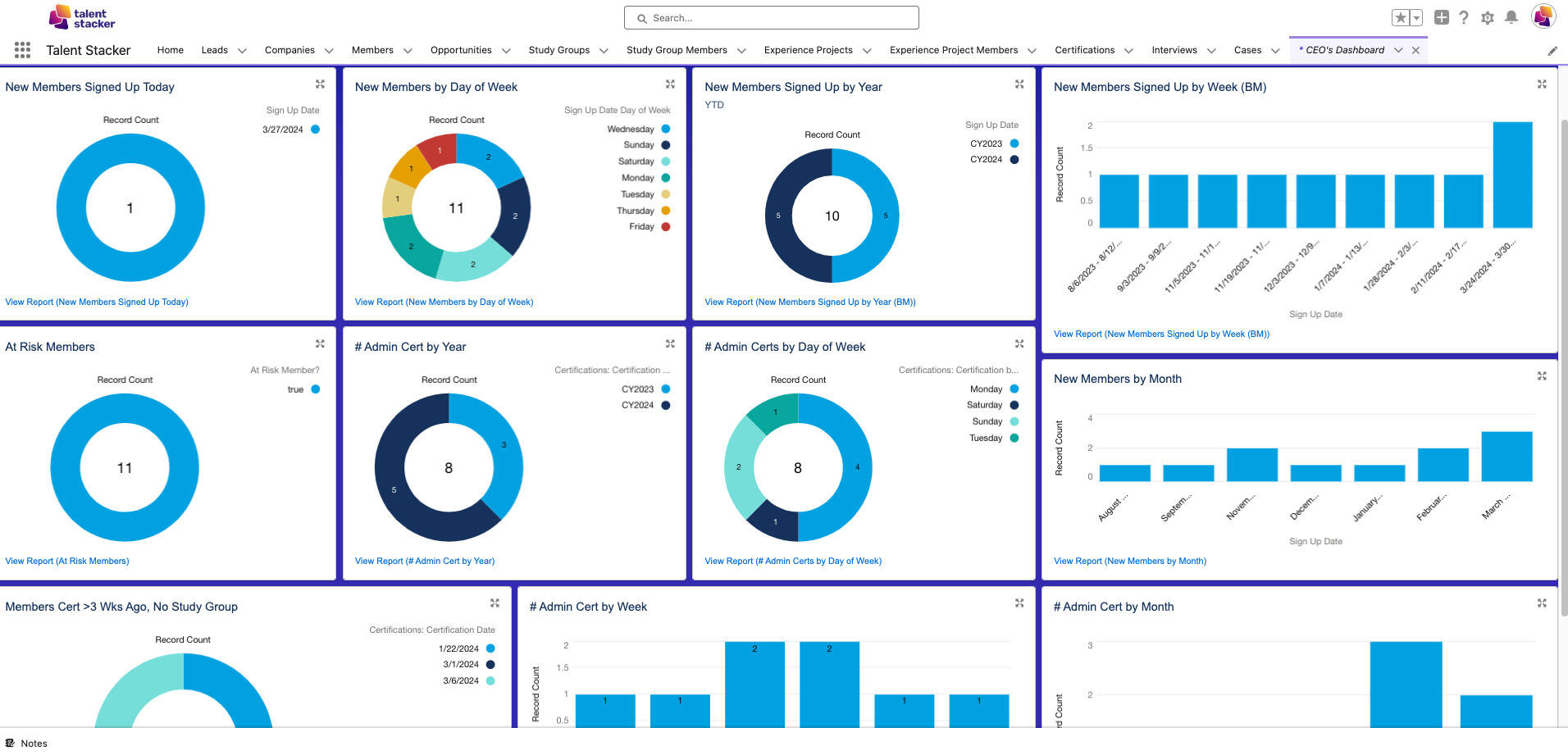
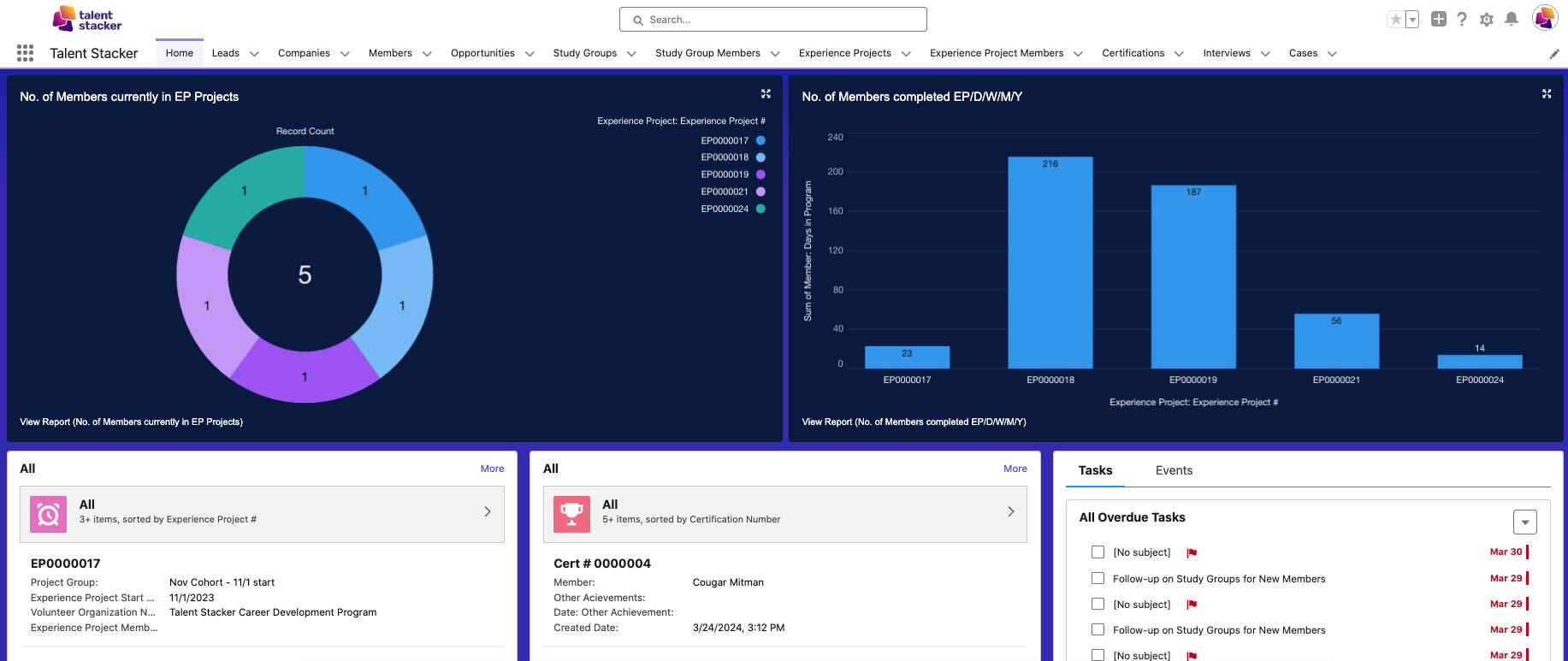
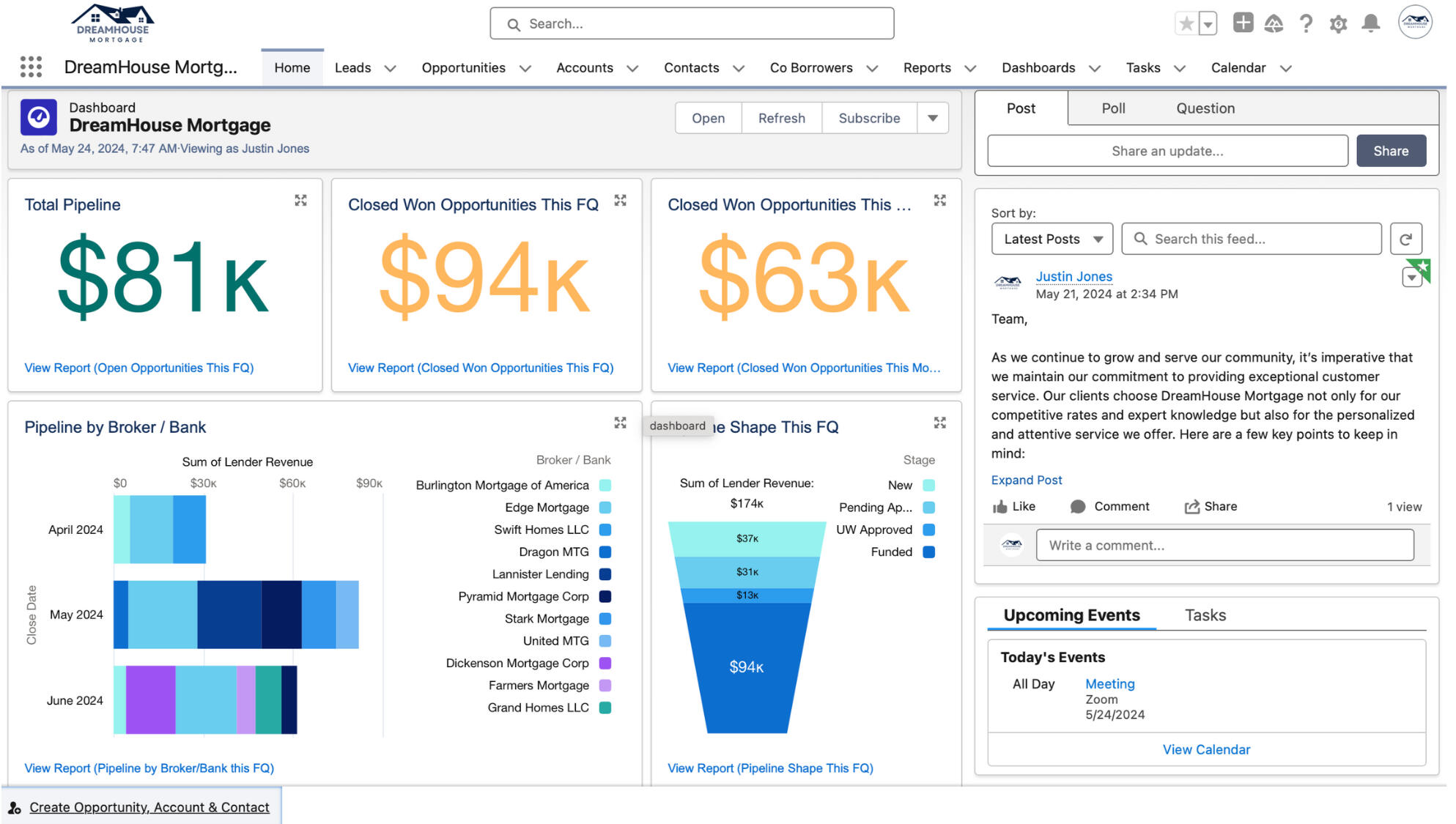
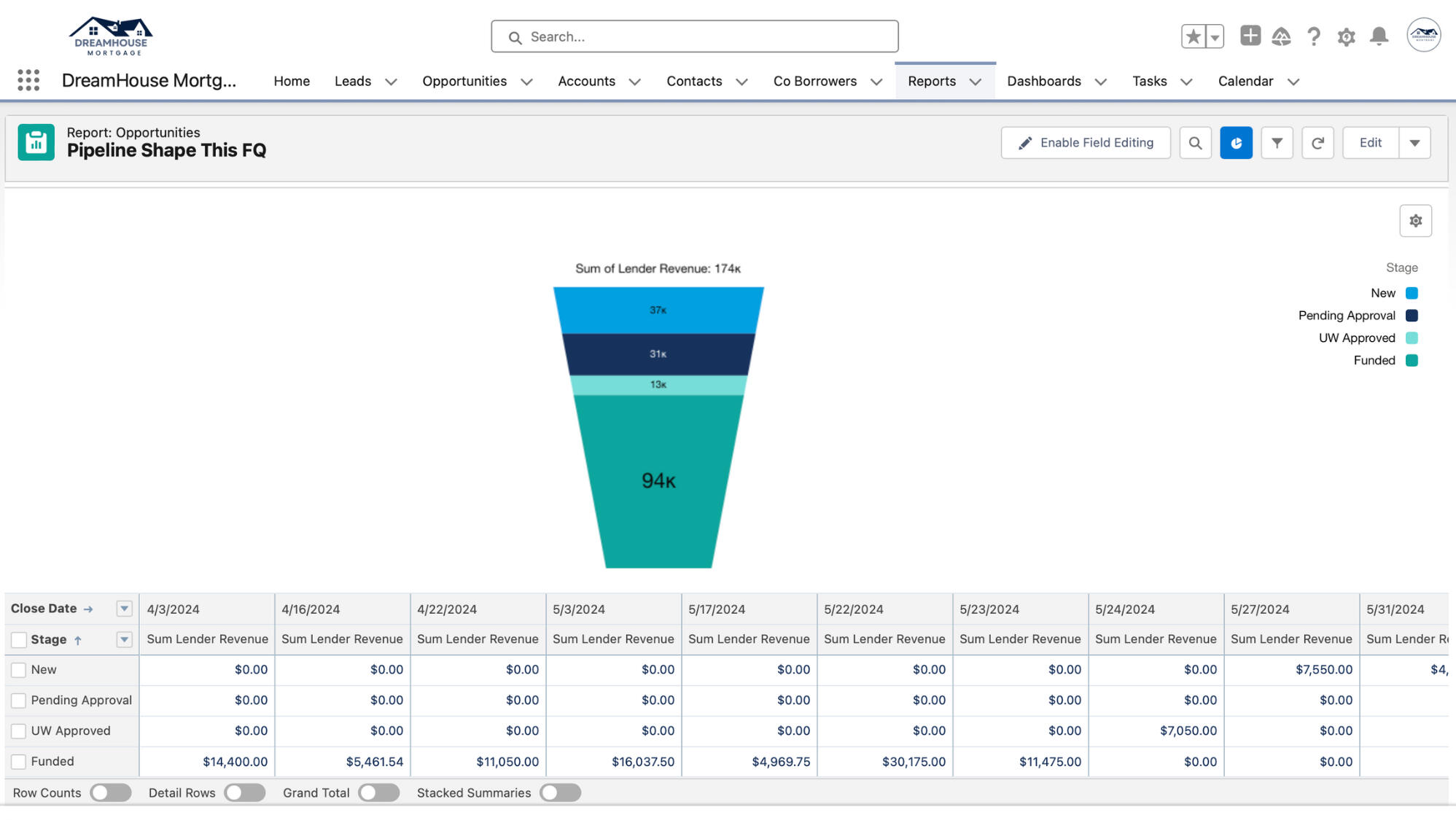
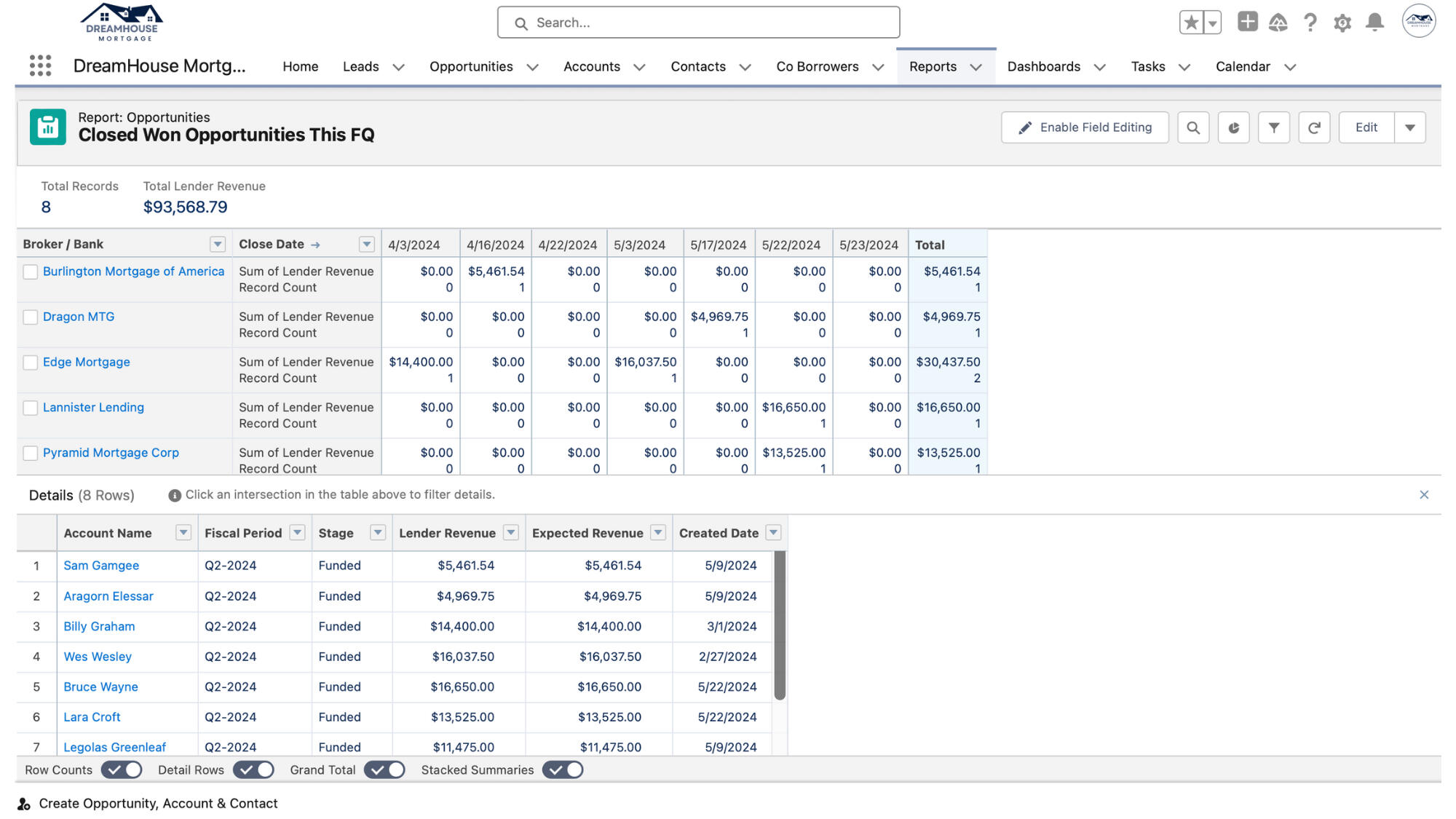
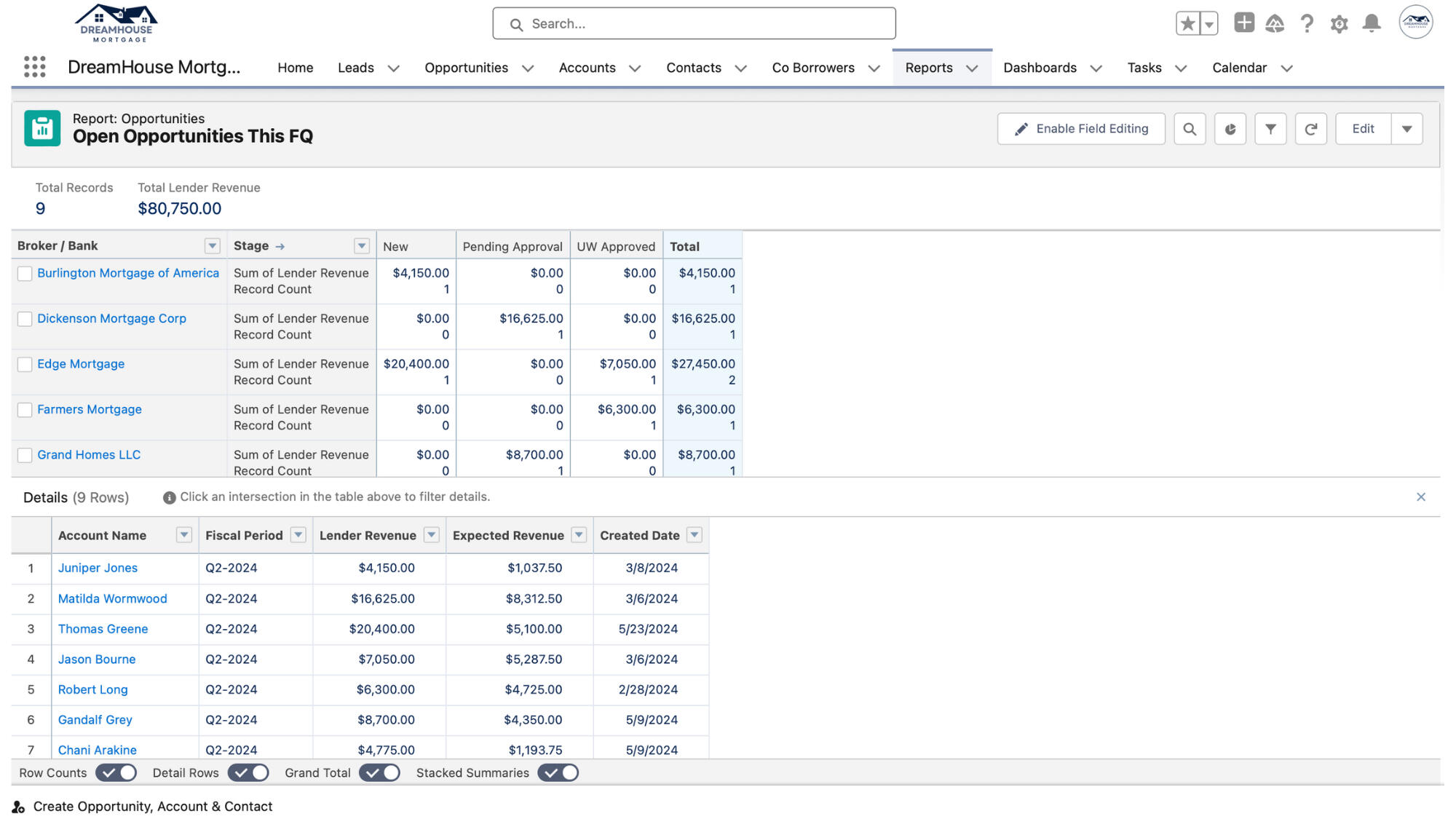
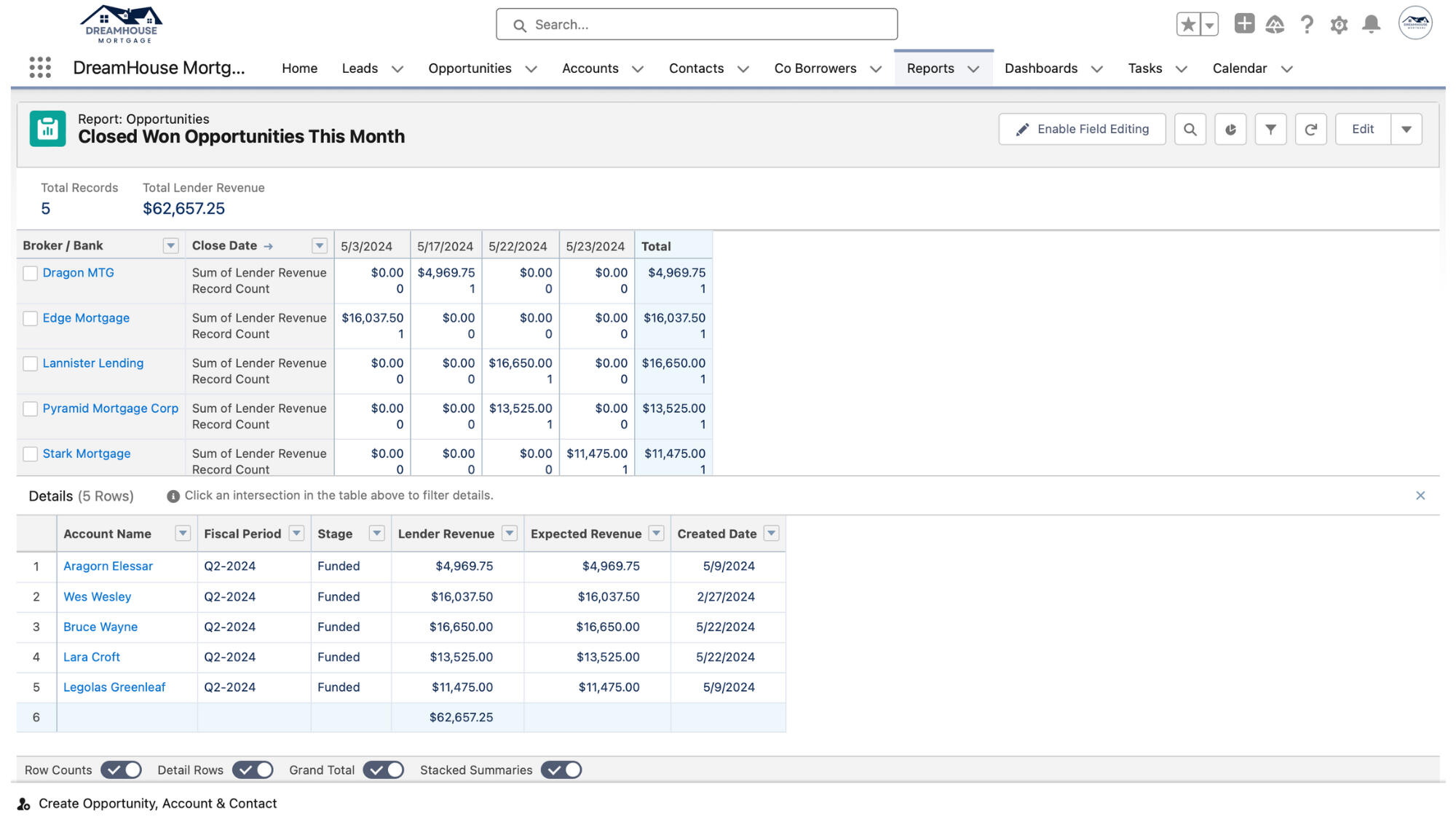
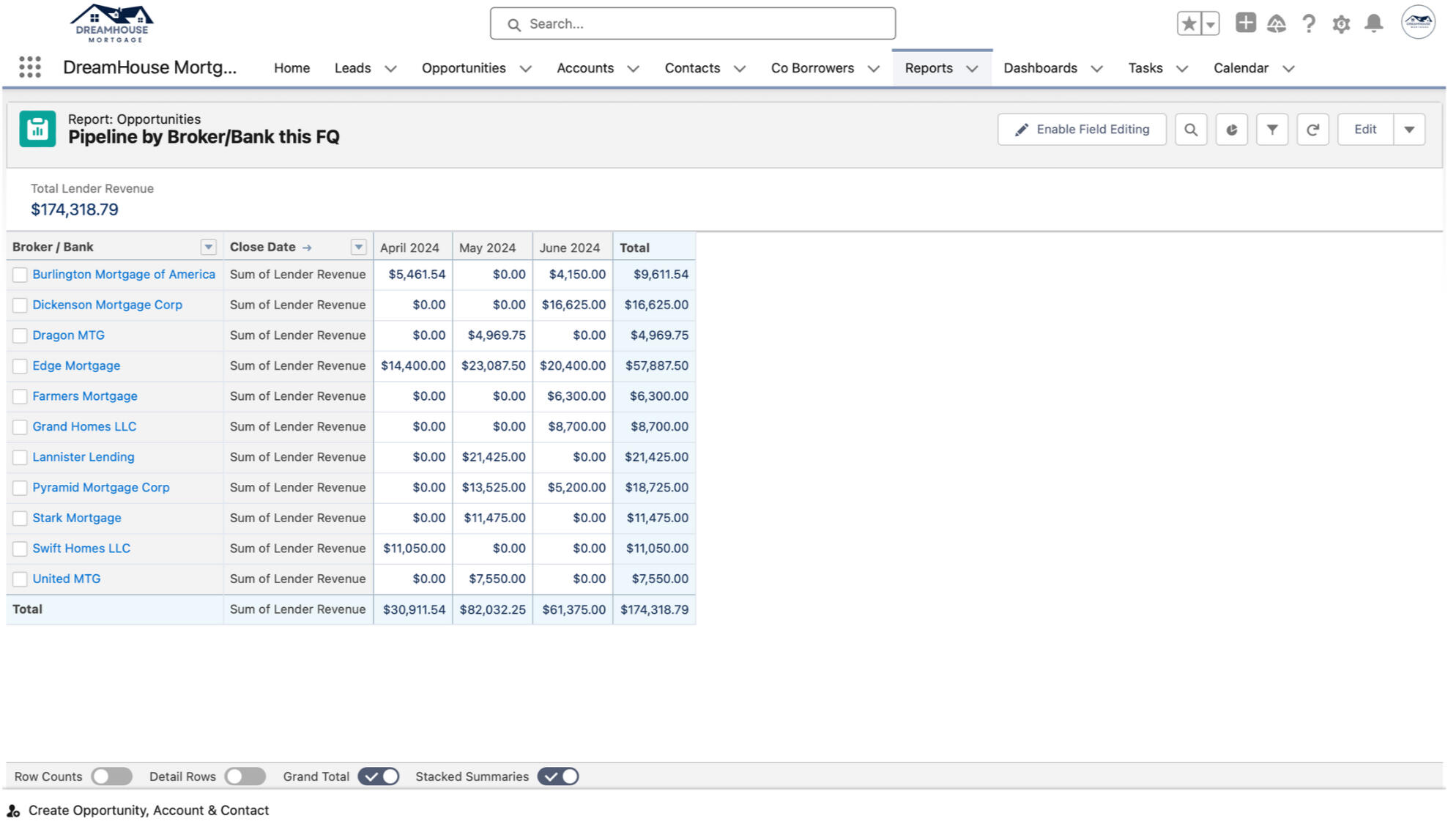
Creation of Reporting and Member Dashboard to Give a Quick Glance into Key Metrics Such As: # of New Members per Day/Week/Month/Year, # of New Members by Day of Week, At Risk Members, and Certifications by Week/Day of Week/Year.
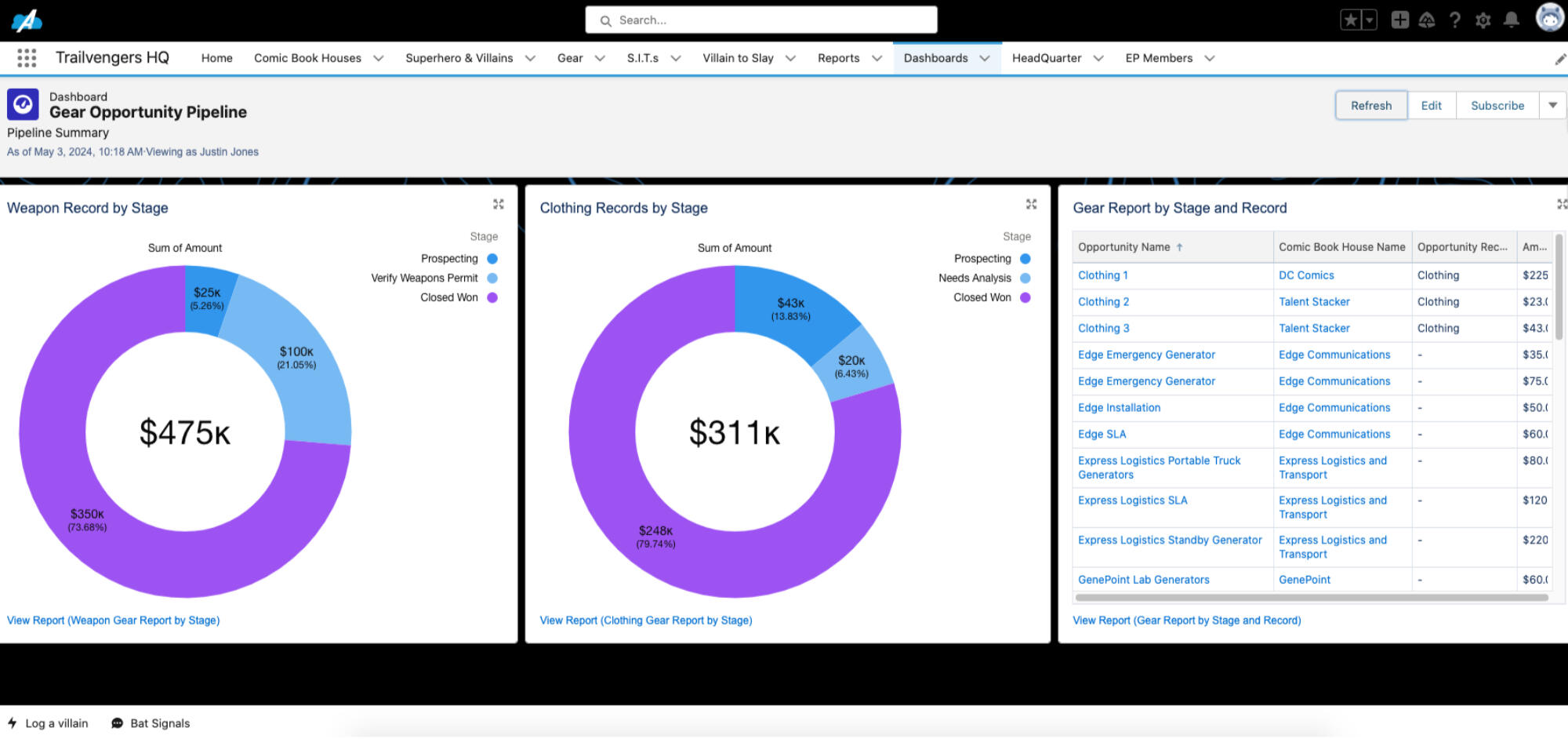
Created a Dashboard with Three Components for the Trailvengers Superhero Syndicate to Keep Track of Their Gear:
Visual Display of Gear (Weapon) Records by Stage
Visual Display of Gear (Clothing) Records by Stage
Chart with a List of All Gear Records
JJ
UI Customization
Enhancing User Experience by Crafting a User-Centric Experience
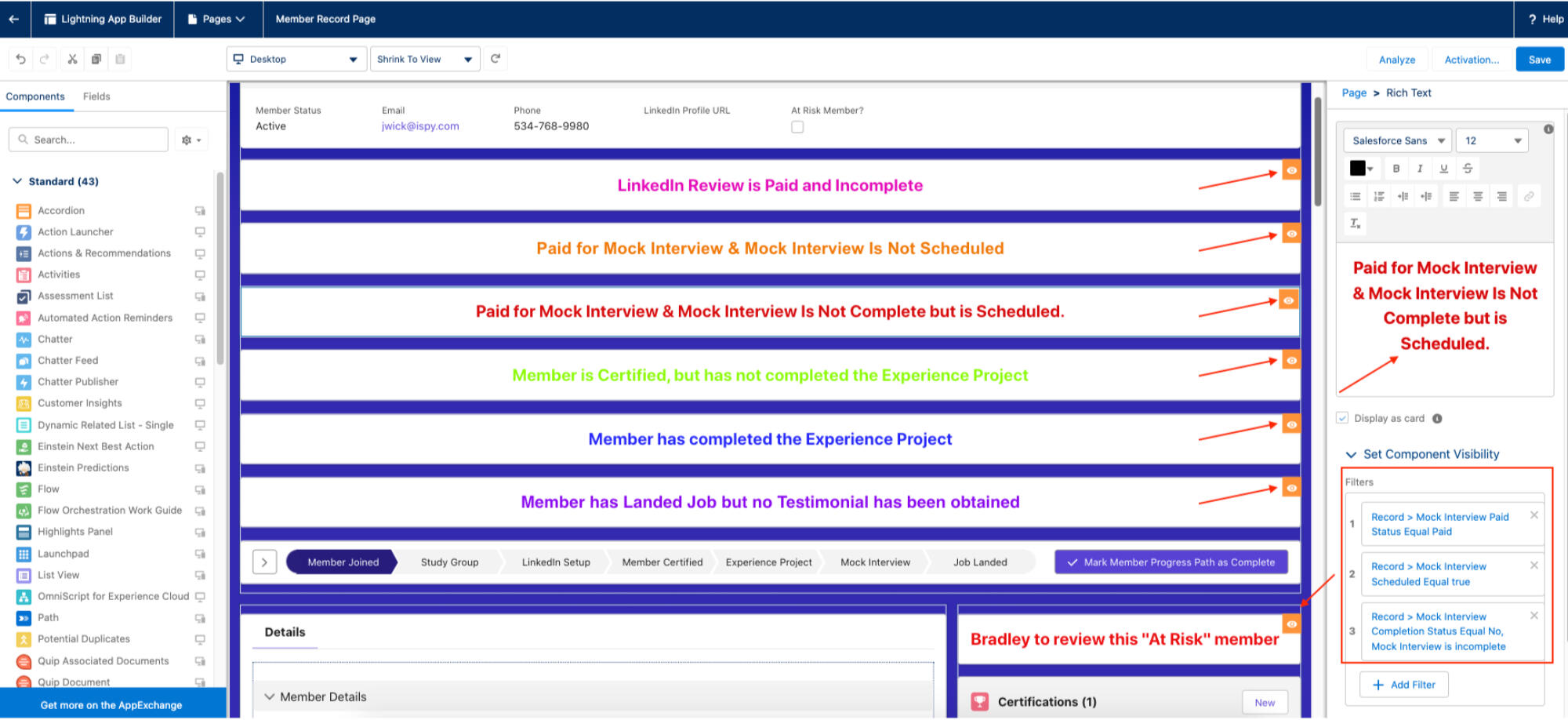
The Stakeholder Requested the Ability to Track Which Certifications Have Been Obtained and When. Utilized Dynamic Forms and a to Set Conditions for Field Visibility Allowing All of the Certification Dates and Types to Be Collected While Keeping the Interface Clean and Clutter Free.
Created Banners Using the Rich Text Editor and Implemented Dynamic Forms and Filters to Hide Fields Until the Criteria Were Met for Them to Become Visible.
Paid for LinkedIn Review & Review Incomplete
Paid for Mock Interview & Mock Interview Is Not Scheduled
Paid for Mock Interview & Mock Interview Is Not Complete but Is Scheduled.
Member Is Certified but Experience Project Has Not Been Assigned.
Member Has Completed an Experience Project.
Member Has Landed Job but No Testimonial Has Been Obtained.
Risk Banner if the Member Is Marked as Being at Risk.
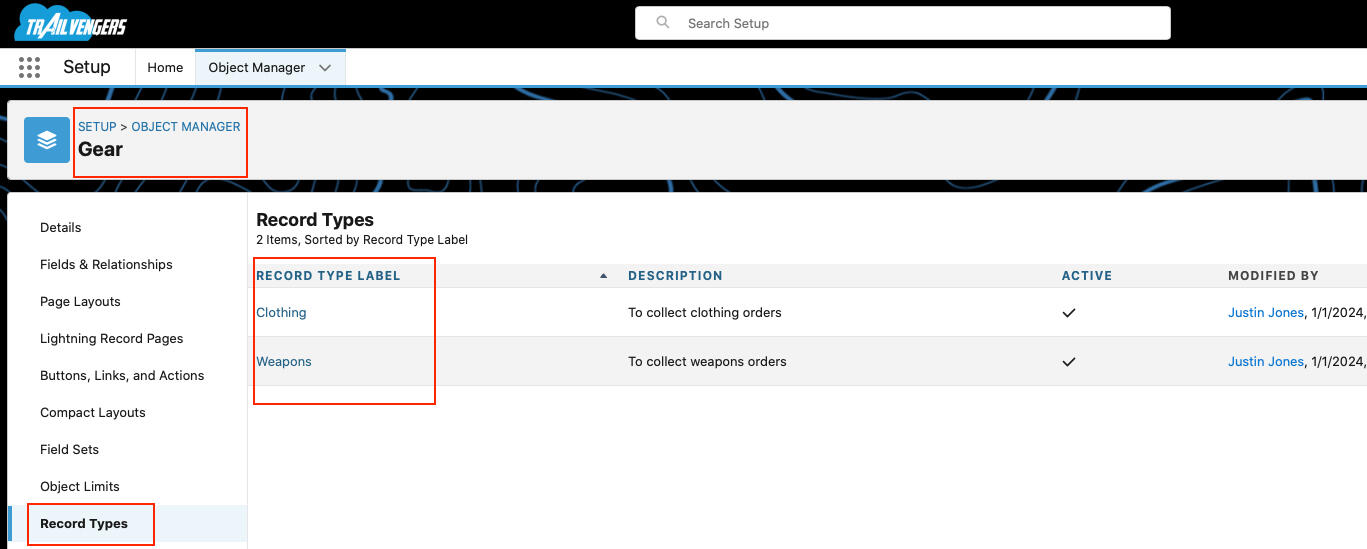
Create 2 Record Types
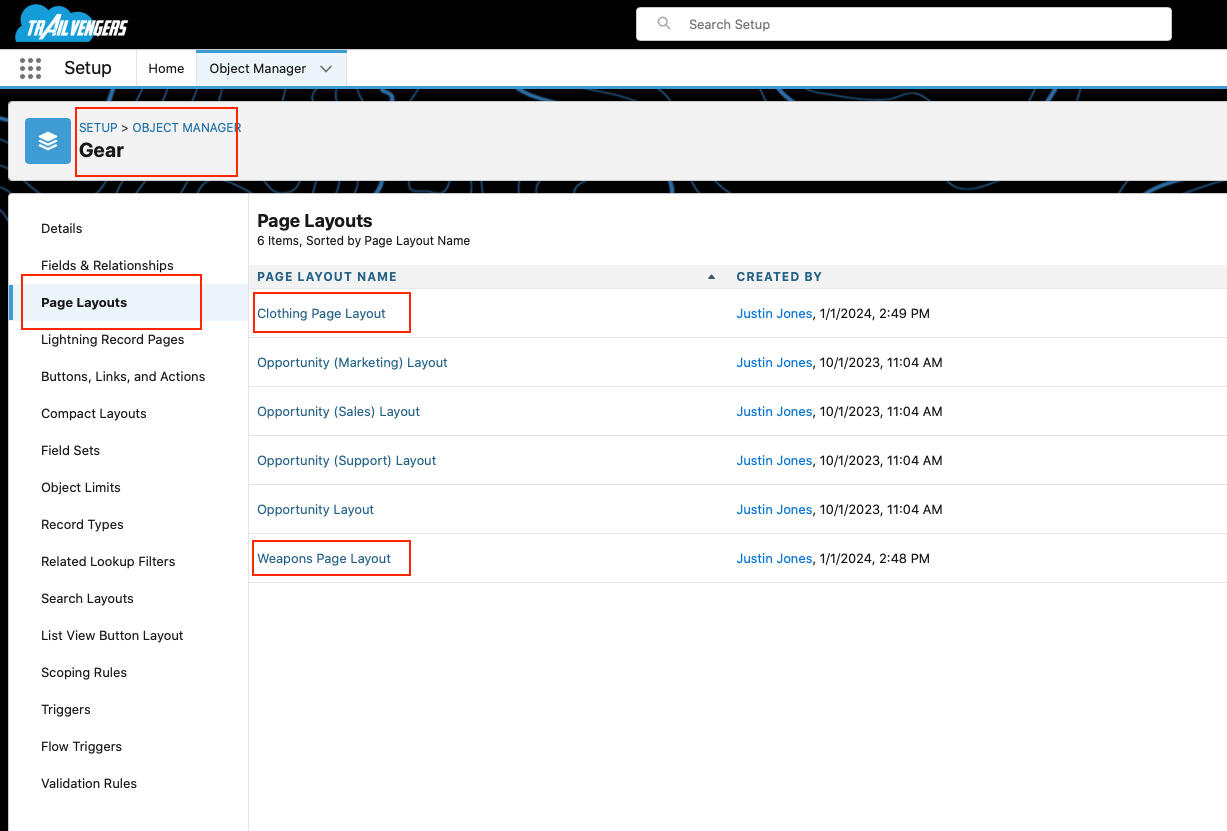
Create 2 Page Layouts
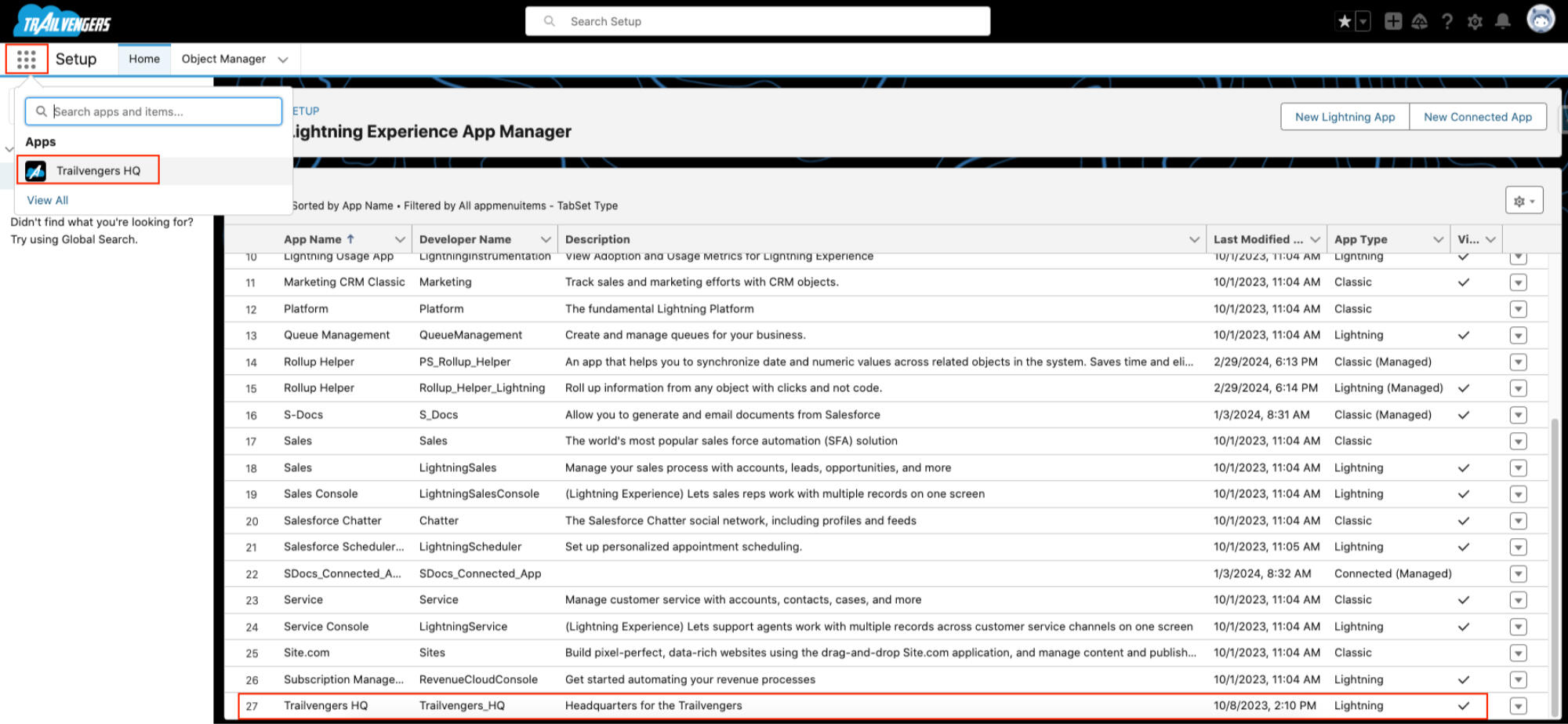
Created a Custom Lightning App called Trailvengers HQ and Hid All Other Apps from the App Menu.
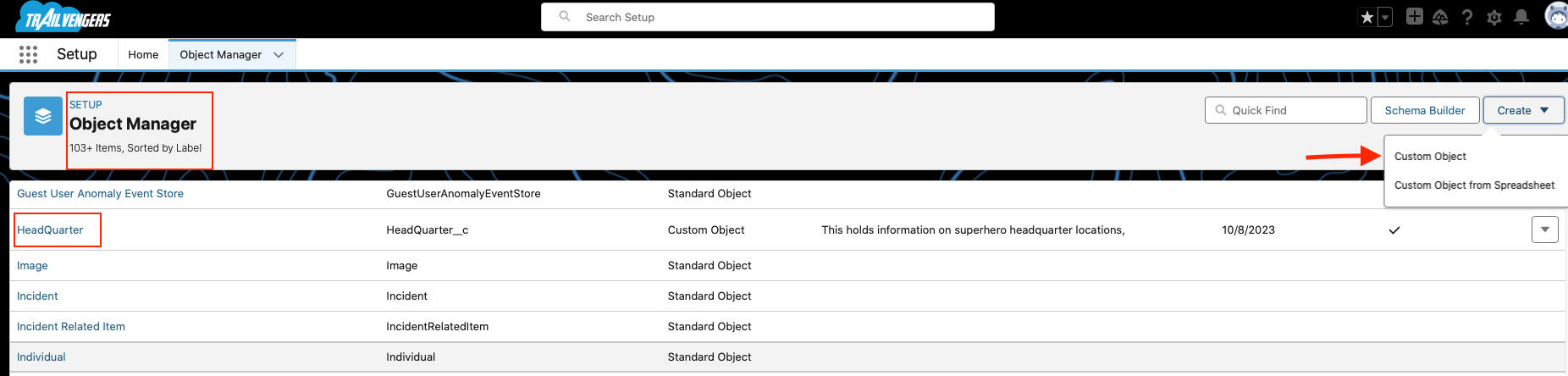
Create a Custom Object (Headquarters)
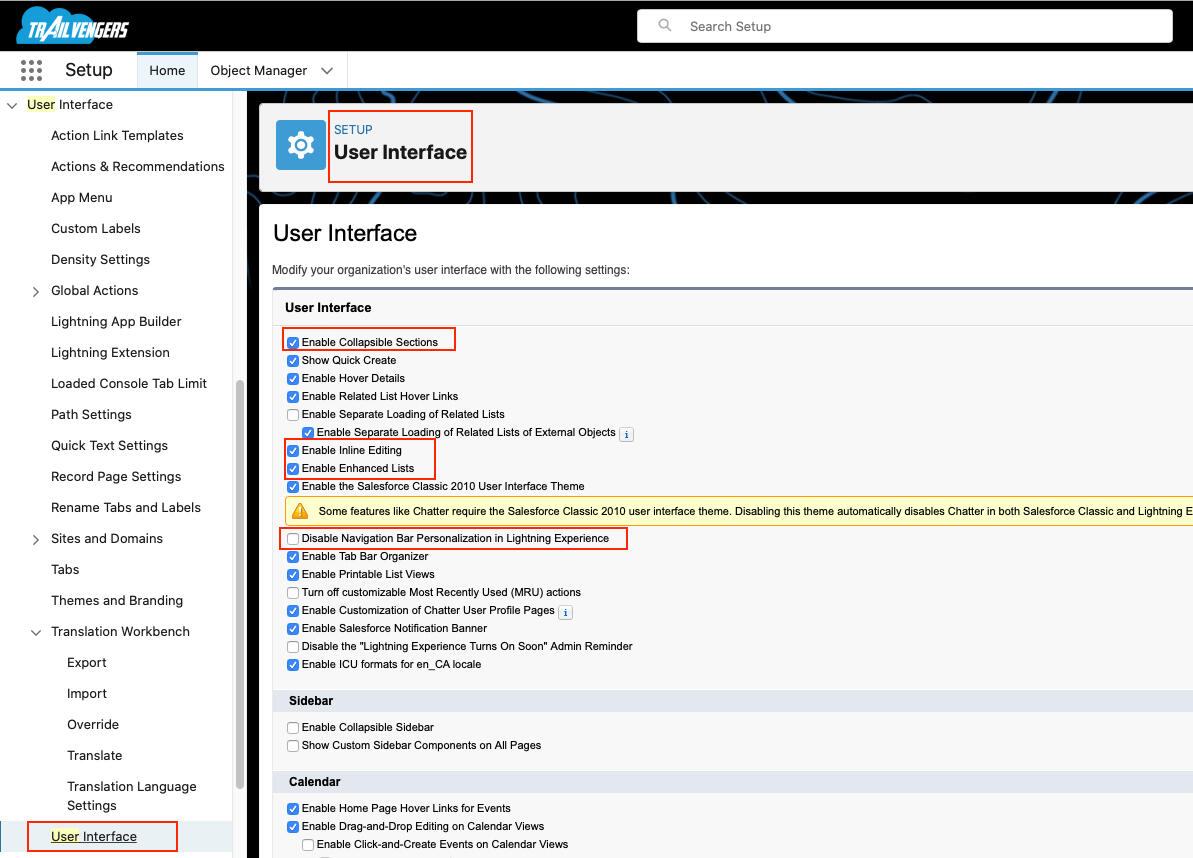
Enabled Collapsible Sections
Enabled Inline Editing
Enabled Enhanced Lists
Enabled Navigation Bar Personalization
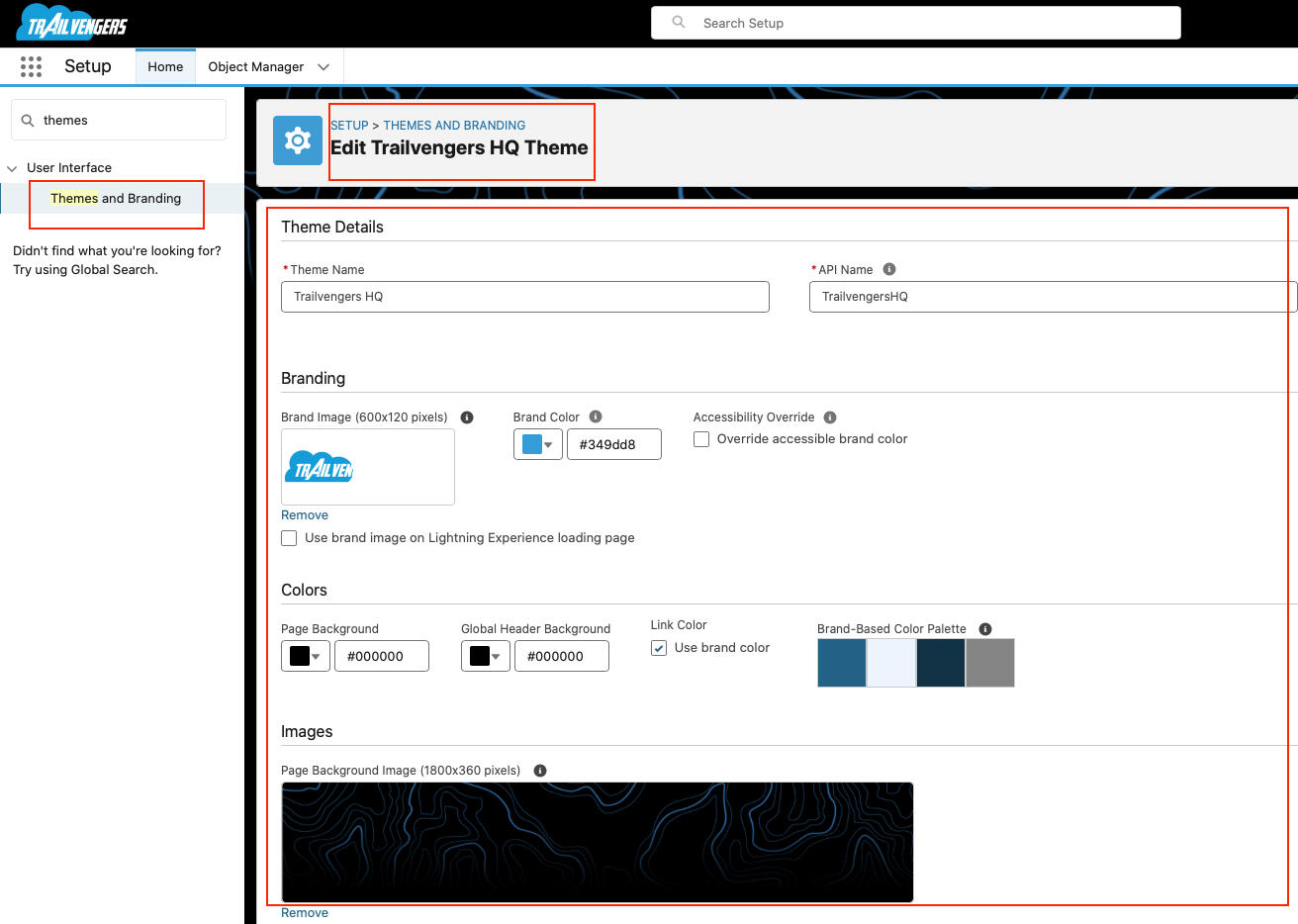
Branded Org to Increase User Adoption.
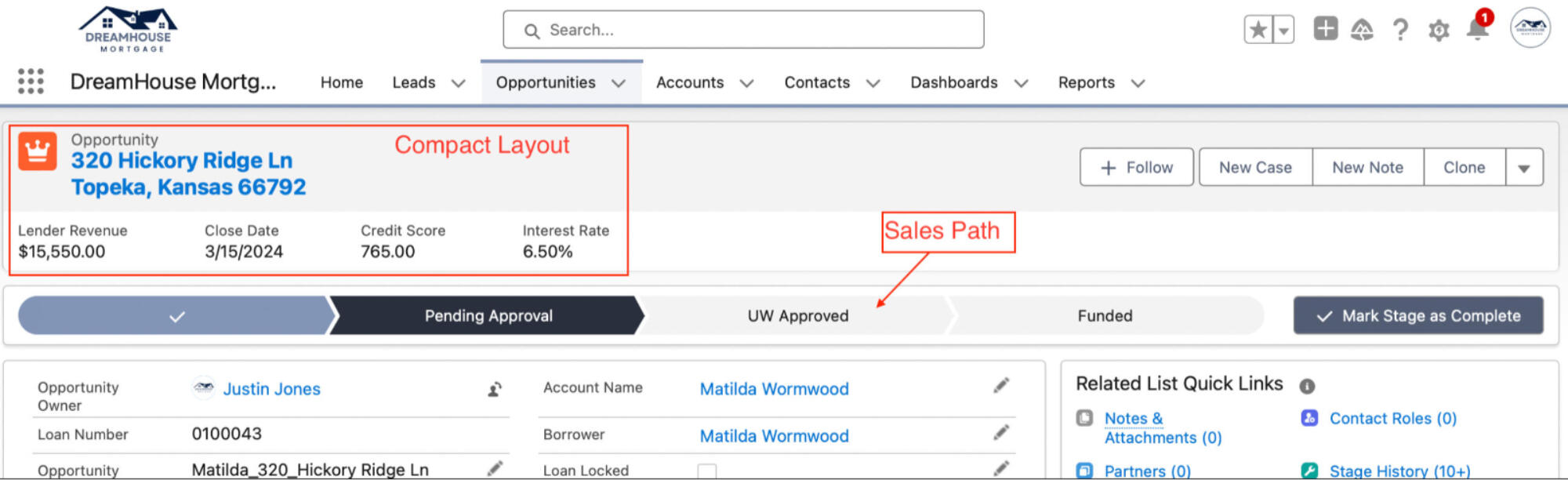
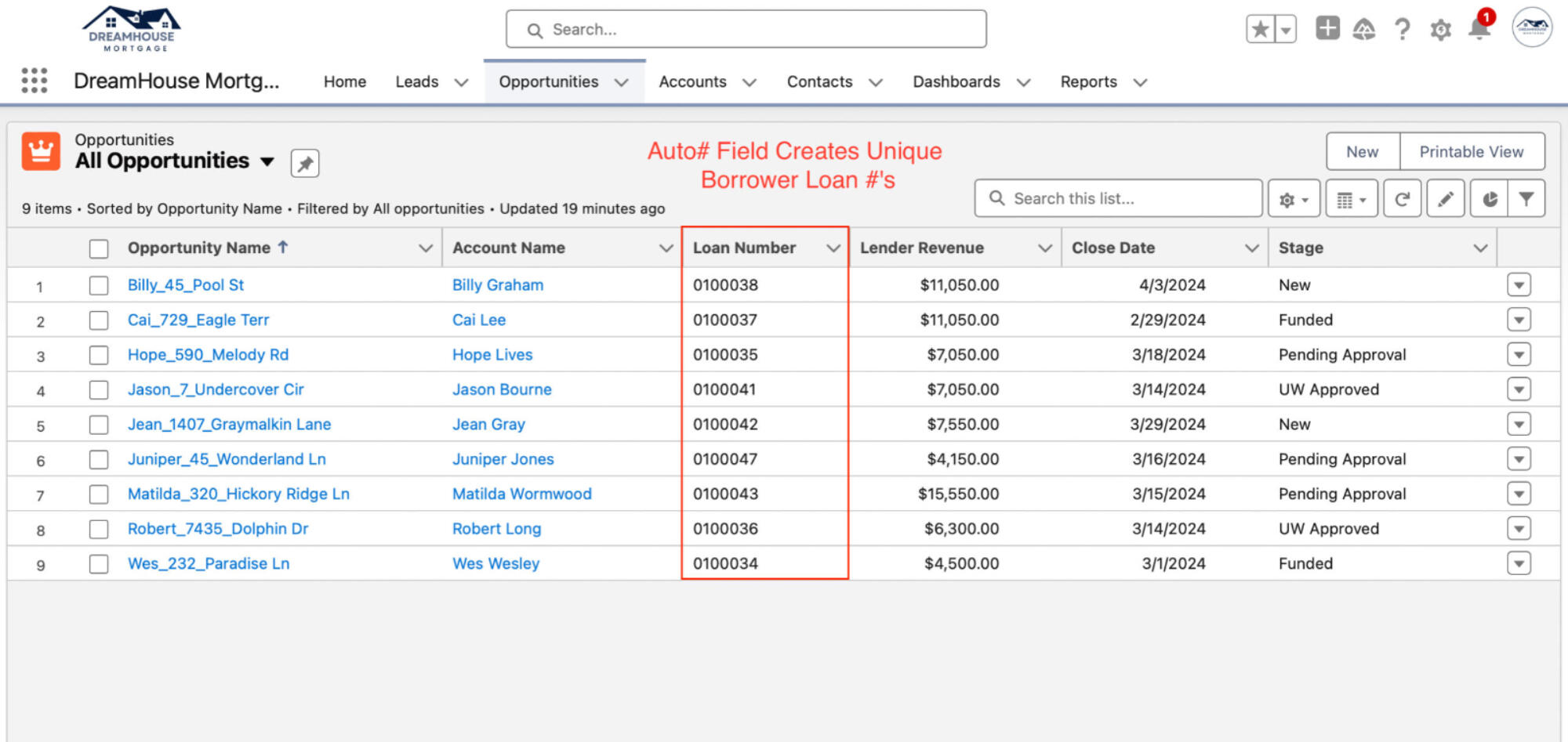
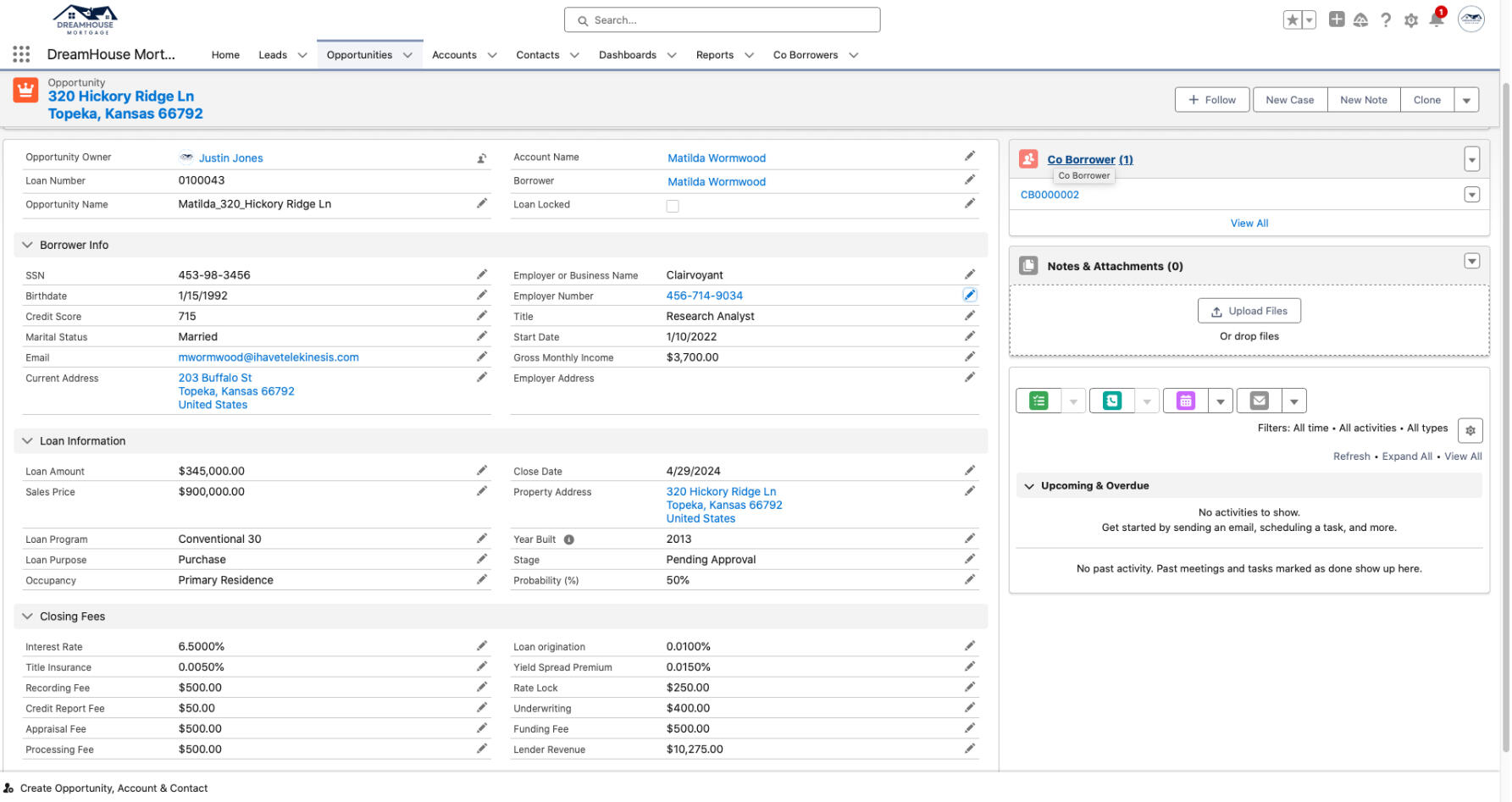
Created a Custom Compact Layout, Sales Path, and Fields for the Opportunity Object
JJ
Automation
Achieve More with Strategic Automation
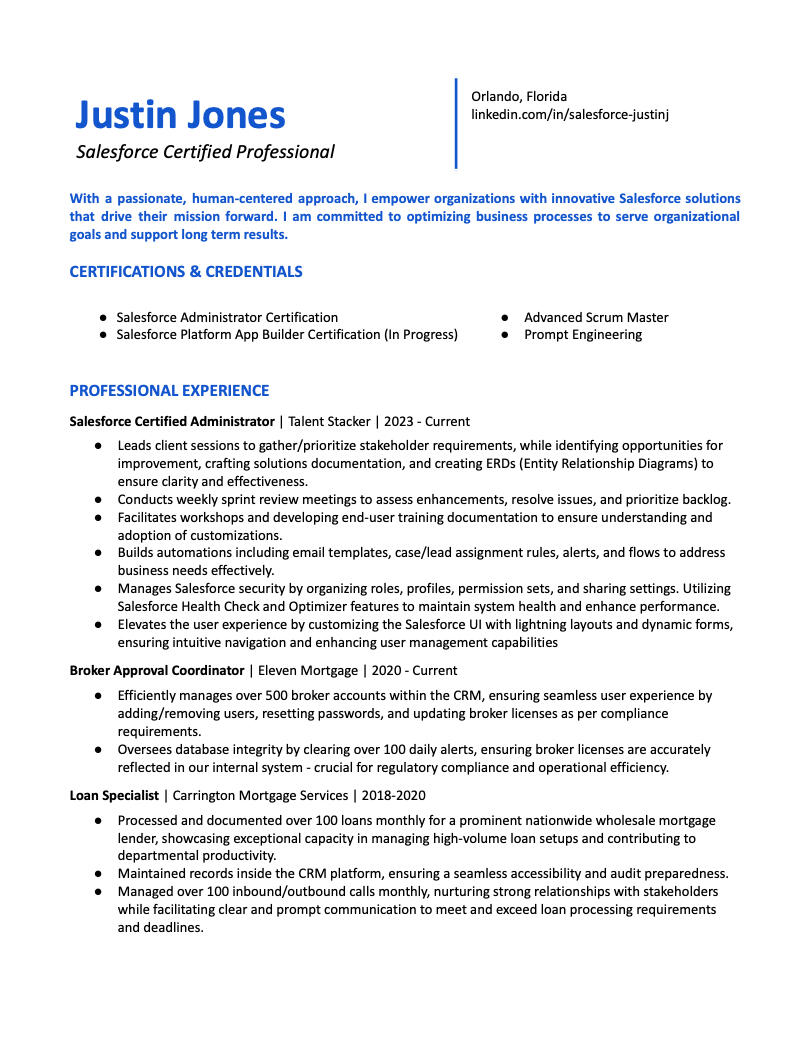
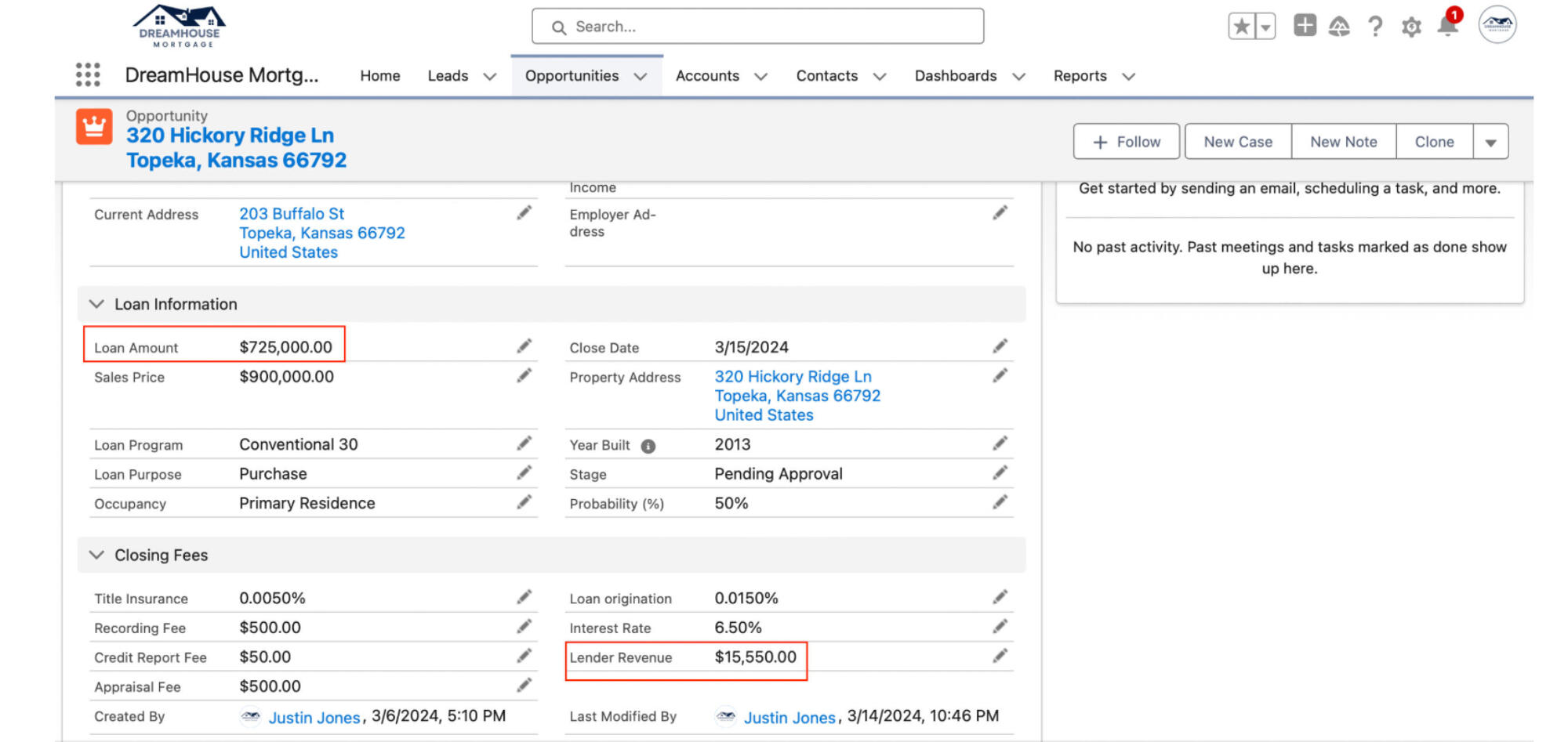
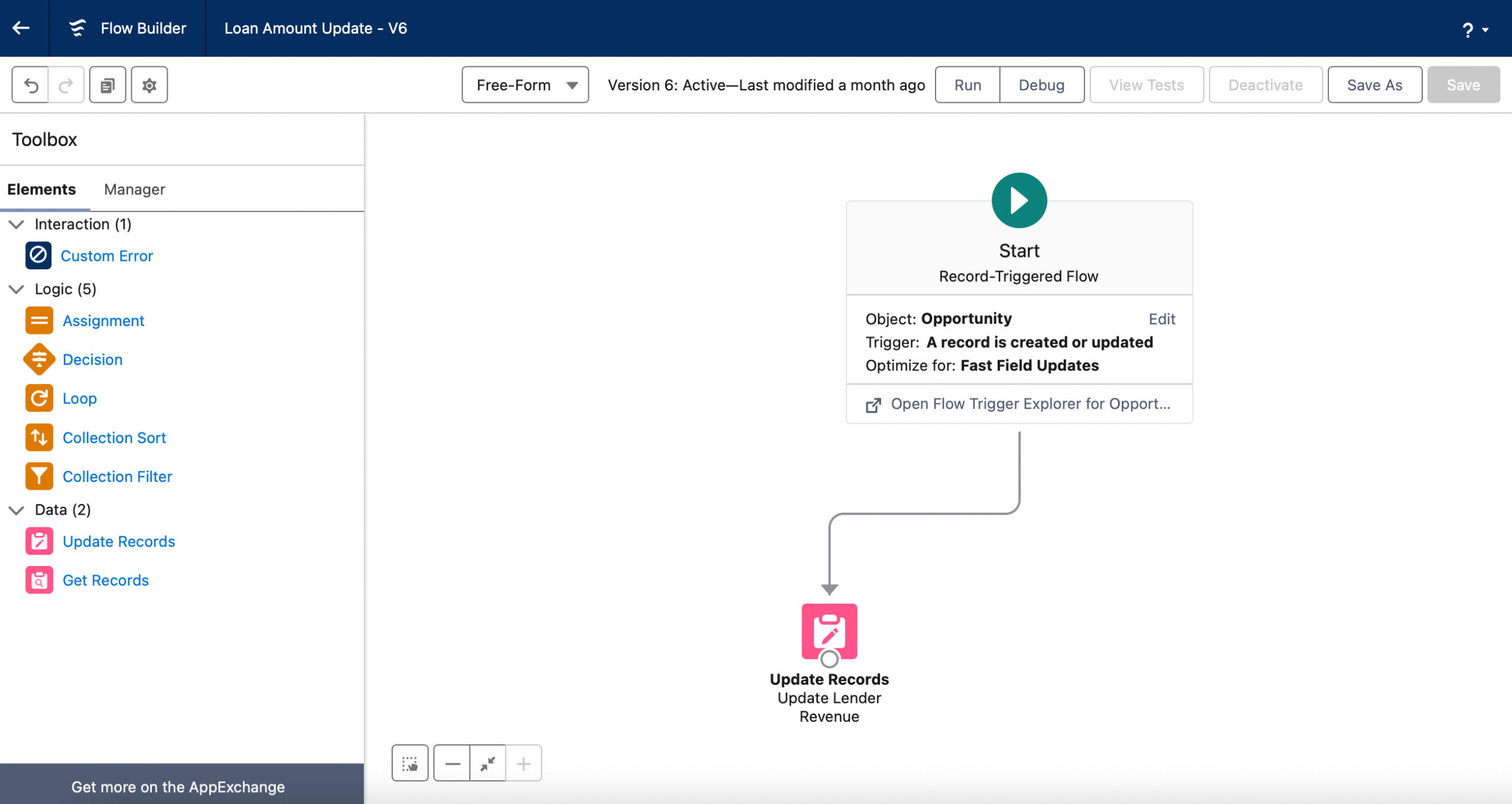
Created a Record-Triggered Flow that Updates the Lender Revenue Using a Formula based on the Loan Amount Entered.
The Yield Spread Premium (YSP) & Loan Origination are Calculated as a % of the Loan Amount. Those Totals, Plus the Processing Fee, Underwriting Fee, Rate Lock Fee & Funding Fee are Used to Calculate the Lender Revenue.
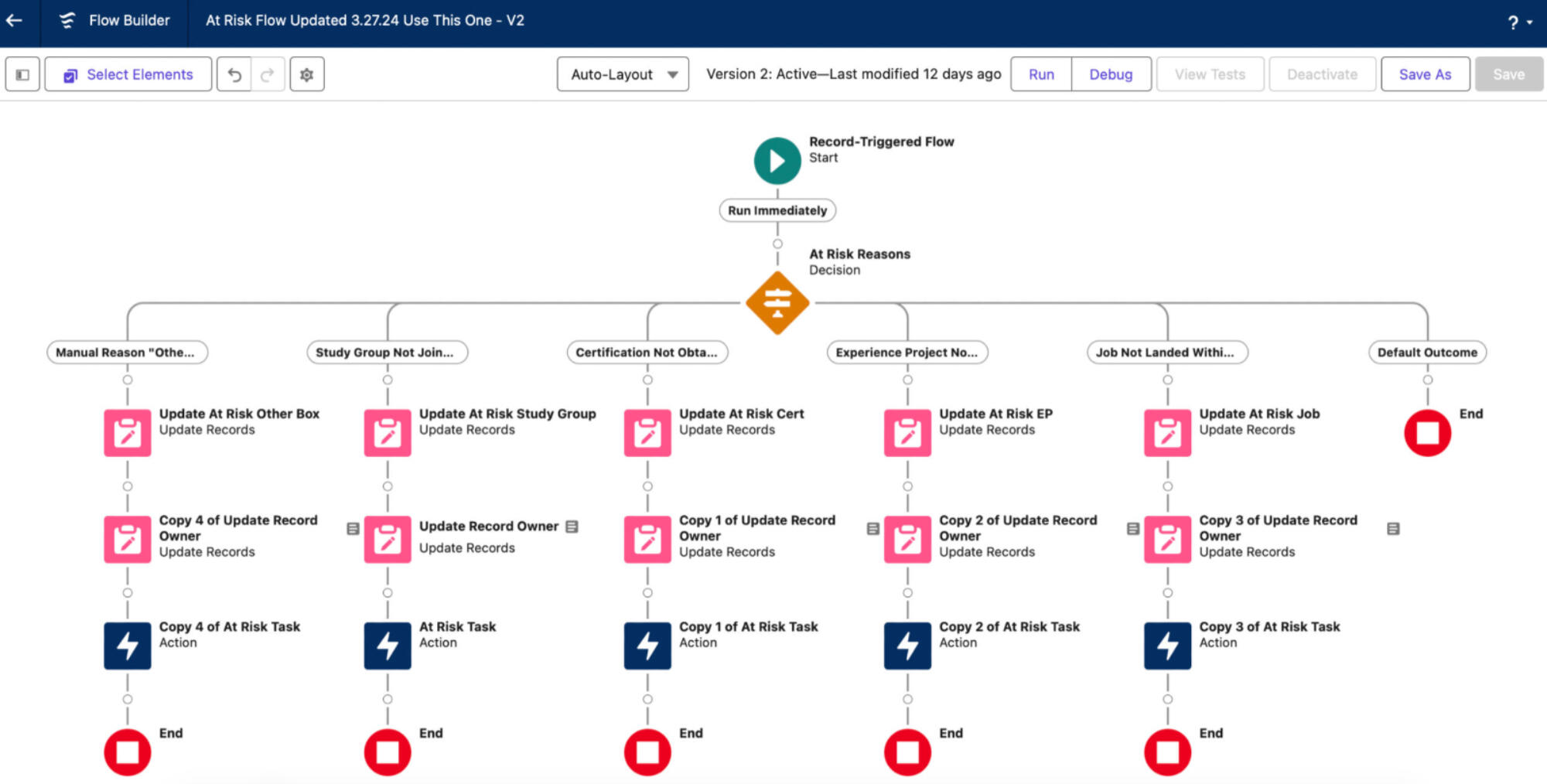
Stakeholder Requested That if a Member’s Record is Marked as Being "At Risk" it Would Automatically Update the Contact Owner and Create a Task to Reach out to This Member Within 24 Hours as a High Priority.
A Record Triggered Flow Was Created to Change the Record Owner When the "At Risk" Checkbox Is Changed to Yes and Then Assign a Task to Contact the Member.
Automated At Risk Status Based on Sign-Up Date:
If Signed Up >60 Days Ago and Have Not Yet Joined a Study Group If Signed Up >90 Days Ago and Have Not Gotten Certified
If Signed Up >150 Days Ago and Have Not Completed an Experience Project
If Signed Up >180 Days Ago and Have Not Landed a Job Manual At Risk Status: For Other Reasons Such as Family, Illness, etc.
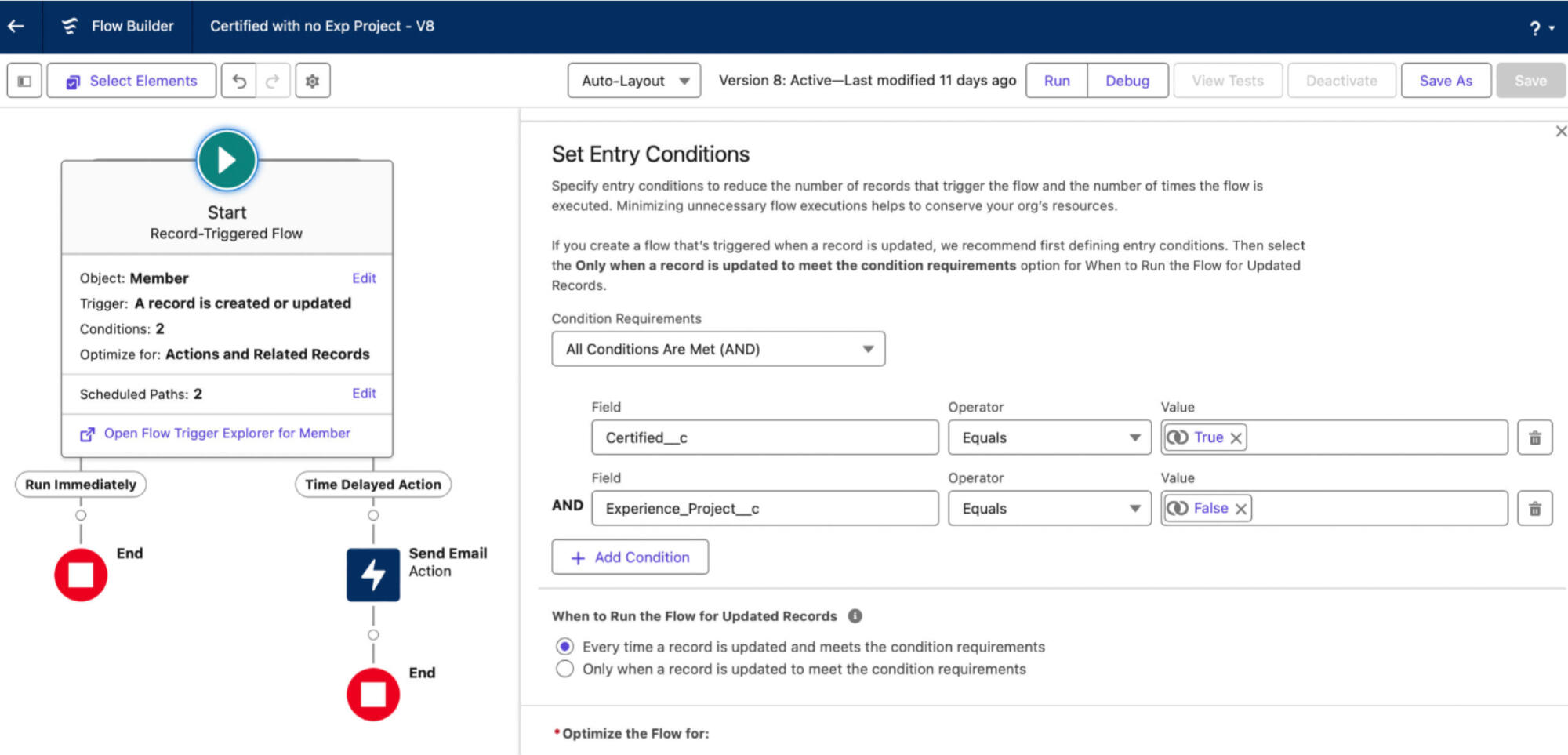
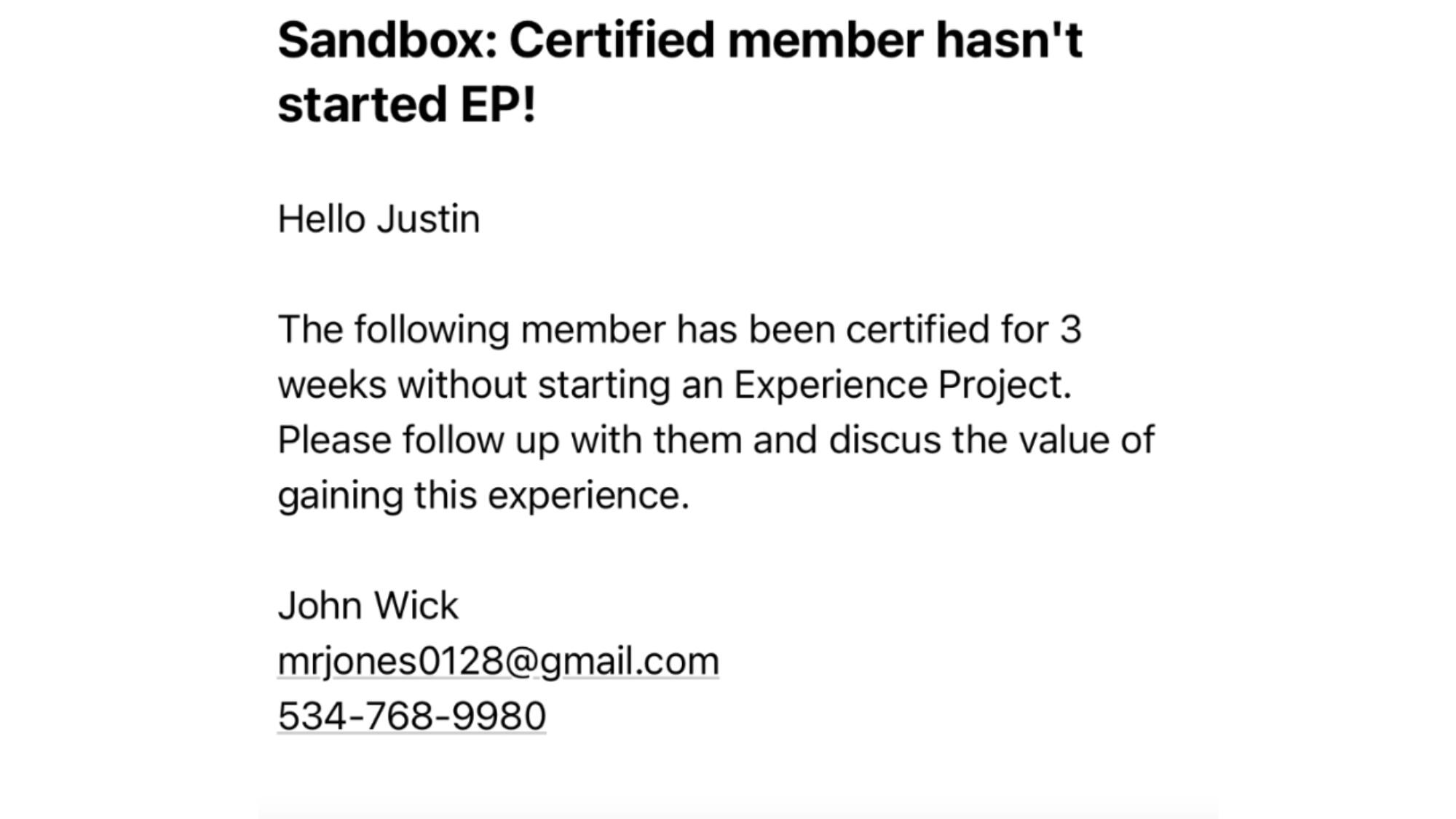
Created a Record-Triggered Flow with a Scheduled Path to Satisfy the Following Stakeholder Request: "3 Weeks After a Member is Certified, if an Experience Project has not Been Started Send an Email to the Contact Owner."
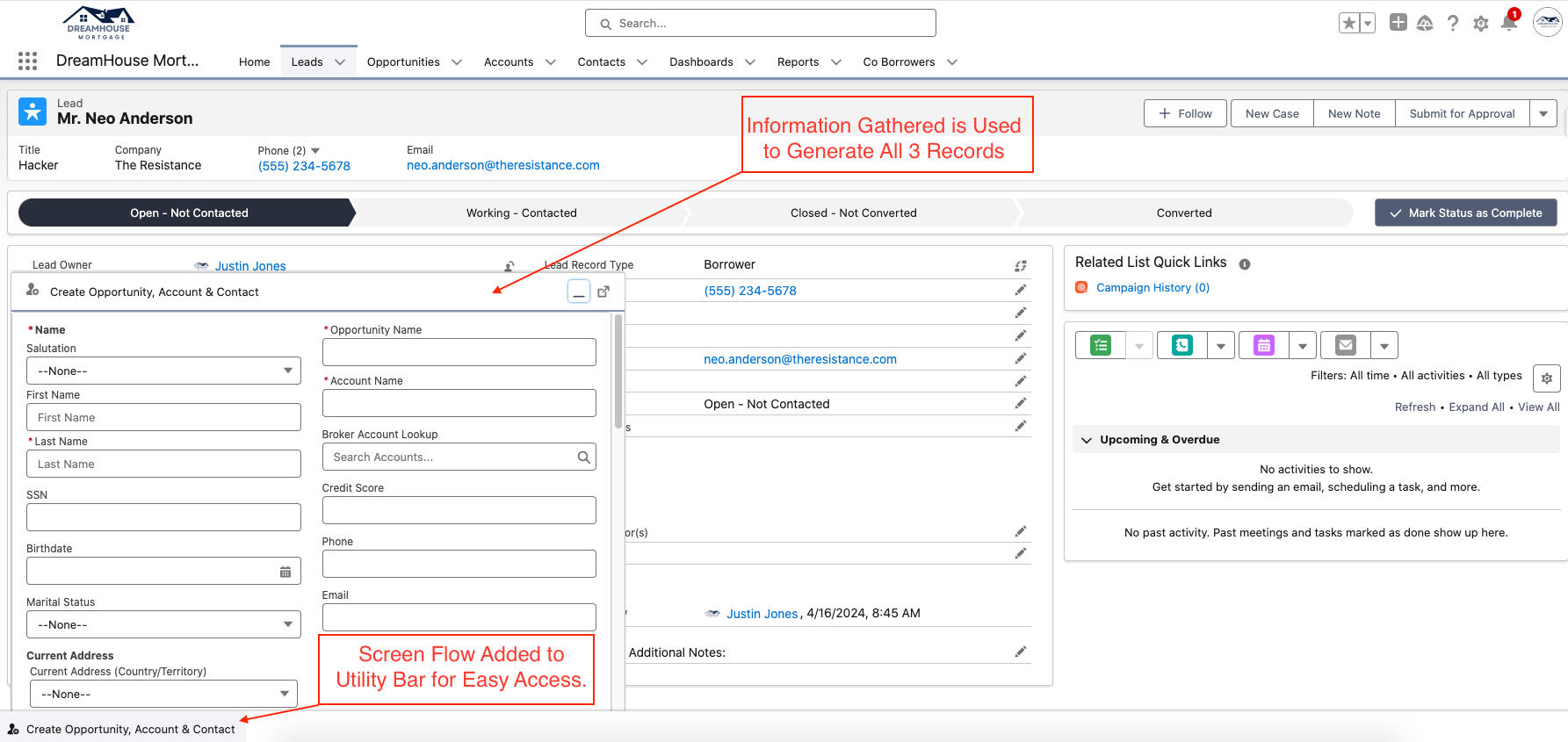
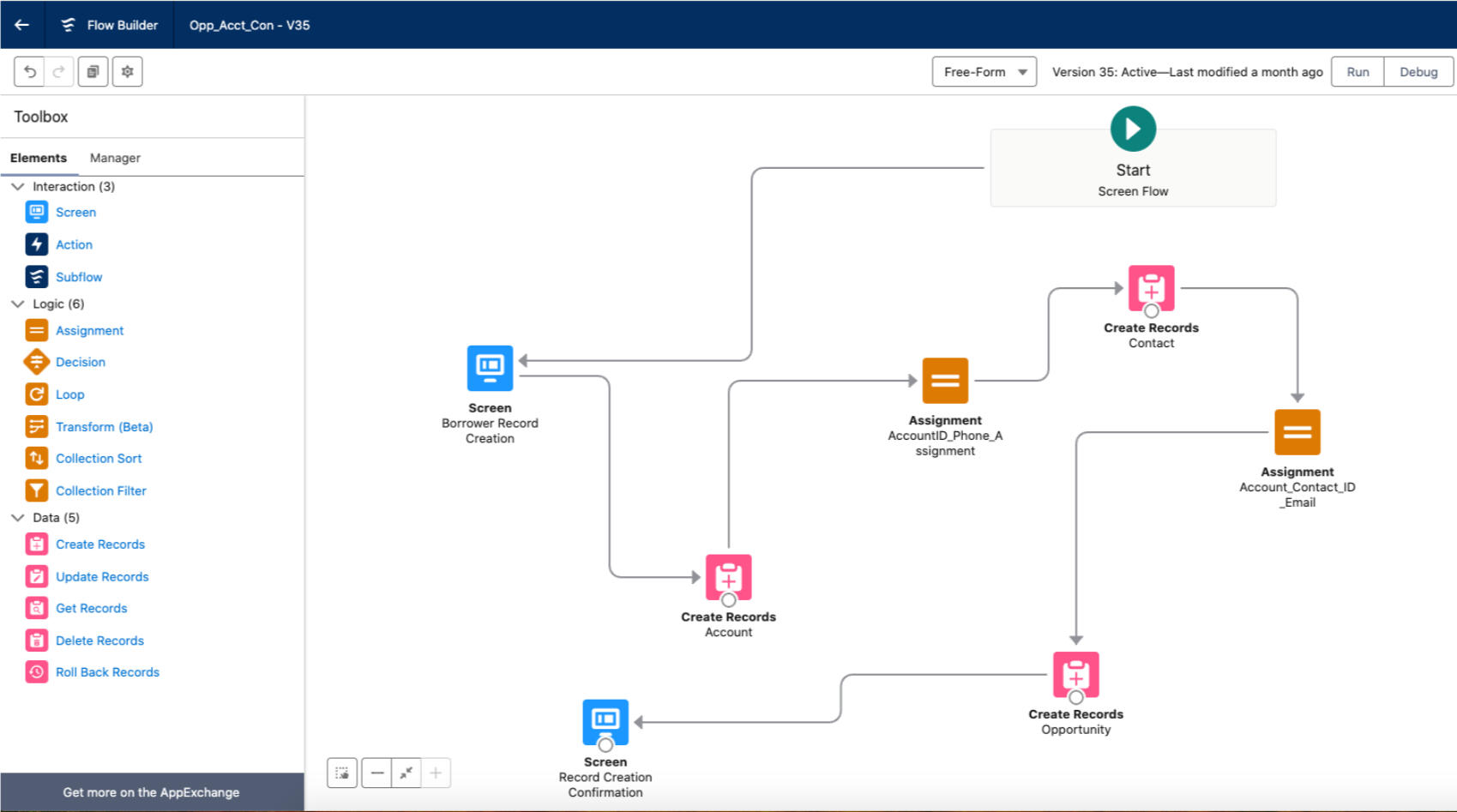
Created a Screen Flow That Enables the User to Input Data Once and Simultaneously Create an Account, Contact, and Opportunity.
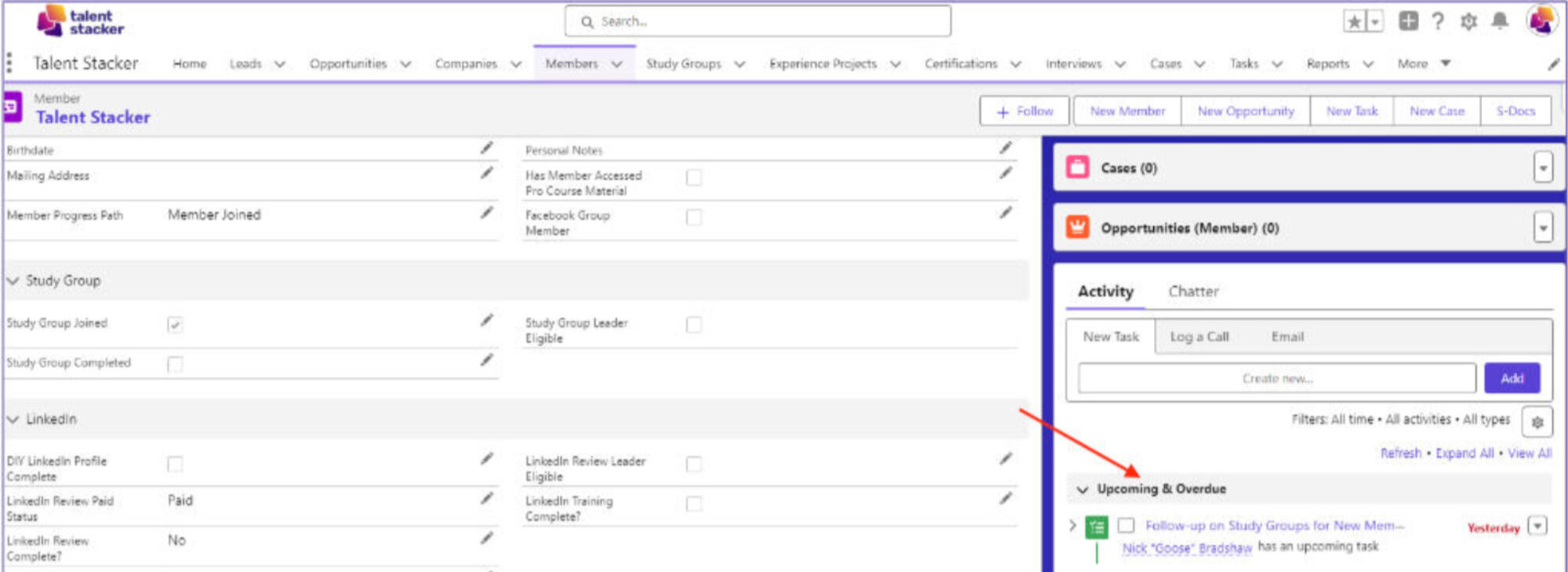
When a New Member is Added to the Program, a Task is Automatically Generated for the Owner to Follow up with Them, Providing Details About the Study Group.
Generated a Web-to-Lead Form and Edited the CSS Using ChatGPT to Make the Page Aesthetically Pleasing.
Created a Landing Page Using Experience Cloud to Collect Leads First Name, Last Name & Email.
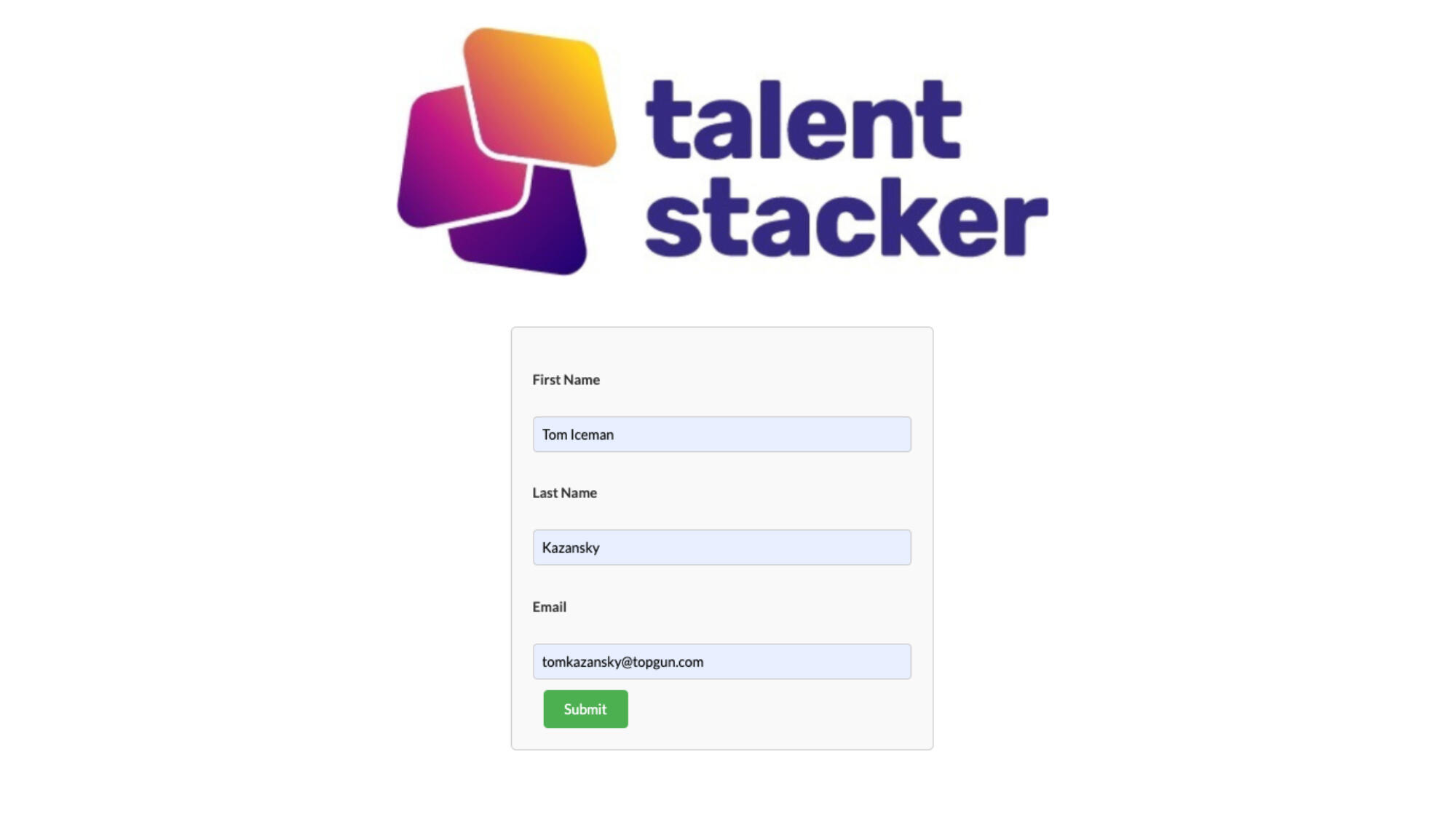
After the Lead Hits 'Submit,' our Lead Assignment Rule Routes the Lead to the New Lead Queue.
